'%3e%3cpath%20fill='%23f0f0f0'%20d='M40%200H0v26.667h40V0'/%3e%3cpath%20fill='%23d80027'%20d='M40%2024.5v2.1H0v-2.1h40m0-2.15H0v-2.1h40v2.1m0-4H0v-2.1h40v2.1m0-4H0v-2.1h40v2.1m0-4.25H0V8h40v2.1m0-4H0V4h40v2.1m0-4H0V0h40v2.1'/%3e%3cpath%20fill='%232e52b2'%20d='M20%200H0v14.36h20V0'/%3e%3cpath%20fill='%23f0f0f0'%20d='M1.927%2012.964H2.5l-.464.337.178.545L1.75%2013.51l-.464.336.178-.545L1%2012.964h.573L1.75%2012.42l.177.545m3.172%200h.573l-.464.337.177.545-.463-.336-.464.336.178-.545-.464-.337h.573l.177-.545.177.545m3.172%200h.573L8.38%2013.301l.177.545-.463-.336-.464.336.177-.545-.463-.337h.572l.178-.545.177.545m3.171%200h.574l-.464.337.177.545-.463-.336-.464.336.177-.545-.463-.337h.572l.178-.545.176.545m3.485%200H15.5l-.464.337.178.545-.464-.336-.464.336.178-.545L14%2012.964h.573l.177-.545.177.545m3.5%200H19l-.464.337.178.545-.464-.336-.464.336.178-.545-.464-.337h.573l.177-.545.177.545m-15-1.406H4l-.464.337.178.545-.464-.337-.464.337.178-.545L2.5%2011.558h.573l.177-.545.177.545m3.172%200h.573l-.464.337.177.545-.463-.337-.464.337.178-.545-.464-.337h.573l.177-.545.177.545m3.172%200h.573L9.88%2011.895l.177.545-.463-.337L9.13%2012.44l.177-.545-.463-.337h.572l.178-.545.177.545m3.171%200h.574l-.464.337.177.545-.463-.337-.464.337.177-.545-.463-.337h.572l.178-.545.176.545m3.485%200H17l-.464.337.178.545-.464-.337-.464.337.178-.545-.464-.337h.573l.177-.545.177.545m-14.5-1.57H2.5l-.464.337.178.545-.464-.337-.464.337.178-.545L1%209.988h.573L1.75%209.443l.177.545m3.172%200h.573l-.464.337.177.545-.463-.337-.464.337.178-.545-.464-.337h.573l.177-.545.177.545m3.172%200h.573L8.38%2010.325l.177.545-.463-.337L7.63%2010.87l.177-.545-.463-.337h.572l.178-.545.177.545m3.171%200h.574l-.464.337.177.545-.463-.337-.464.337.177-.545-.463-.337h.572l.178-.545.176.545m3.485%200H15.5l-.464.337.178.545-.464-.337-.464.337.178-.545L14%209.988h.573l.177-.545.177.545m3.5%200H19l-.464.337.178.545-.464-.337-.464.337.178-.545L17.5%209.988h.573l.177-.545.177.545m-15-1.43H4L3.536%208.895%203.714%209.44%203.25%209.103%202.786%209.44l.178-.545L2.5%208.558h.573L3.25%208.013l.177.545m3.172%200h.573L6.708%208.895%206.885%209.44%206.422%209.103%205.958%209.44l.178-.545-.464-.337h.573l.177-.545.177.545m3.172%200h.573L9.88%208.895l.177.545-.463-.337L9.13%209.44l.177-.545-.463-.337h.572l.178-.545.177.545m3.171%200h.574l-.464.337.177.545-.463-.337-.464.337.177-.545-.463-.337h.572l.178-.545.176.545m3.485%200H17l-.464.337.178.545-.464-.337-.464.337.178-.545L15.5%208.558h.573l.177-.545.177.545m-14.5-1.547H2.5L2.036%207.348l.178.545L1.75%207.556%201.286%207.893l.178-.545L1%207.011h.573L1.75%206.466l.177.545m3.172%200h.573L5.208%207.348l.177.545-.463-.337-.464.337.178-.545-.464-.337h.573l.177-.545.177.545m3.172%200h.573L8.38%207.348l.177.545-.463-.337L7.63%207.893l.177-.545-.463-.337h.572l.178-.545.177.545m3.171%200h.574l-.464.337.177.545-.463-.337-.464.337.177-.545-.463-.337h.572l.178-.545.176.545m3.485%200H15.5l-.464.337.178.545-.464-.337-.464.337.178-.545L14%207.011h.573l.177-.545.177.545m3.5%200H19l-.464.337.178.545-.464-.337-.464.337.178-.545L17.5%207.011h.573l.177-.545.177.545m-15-1.453H4L3.536%205.895%203.714%206.44%203.25%206.103%202.786%206.44l.178-.545L2.5%205.558h.573L3.25%205.013l.177.545m3.172%200h.573L6.708%205.895%206.885%206.44%206.422%206.103%205.958%206.44l.178-.545-.464-.337h.573l.177-.545.177.545m3.172%200h.573L9.88%205.895l.177.545-.463-.337L9.13%206.44l.177-.545-.463-.337h.572l.178-.545.177.545m3.171%200h.574l-.464.337.177.545-.463-.337-.464.337.177-.545-.463-.337h.572l.178-.545.176.545m3.485%200H17l-.464.337.178.545-.464-.337-.464.337.178-.545L15.5%205.558h.573l.177-.545.177.545m-14.5-1.523H2.5L2.036%204.37l.178.545L1.75%204.58%201.286%204.916l.178-.545L1%204.035h.573L1.75%203.49l.177.545m3.172%200h.573L5.208%204.37l.177.545L4.922%204.58%204.458%204.916l.178-.545-.464-.336h.573L4.922%203.49l.177.545m3.172%200h.573L8.38%204.37l.177.545L8.094%204.58%207.63%204.916l.177-.545-.463-.336h.572L8.094%203.49%208.27%204.035m3.171%200h.574L11.552%204.37l.177.545-.463-.337-.464.337.177-.545-.463-.336h.572l.178-.545.176.545m3.485%200H15.5L15.036%204.37l.178.545L14.75%204.58l-.464.337.178-.545L14%204.035h.573L14.75%203.49l.177.545m3.5%200H19L18.536%204.37l.178.545L18.25%204.58l-.464.337.178-.545L17.5%204.035h.573L18.25%203.49l.177.545m-15-1.477H4L3.536%202.895%203.714%203.44%203.25%203.103%202.786%203.44l.178-.545L2.5%202.558h.573L3.25%202.013l.177.545m3.172%200h.573L6.708%202.895%206.885%203.44%206.422%203.103%205.958%203.44l.178-.545-.464-.337h.573l.177-.545.177.545m3.172%200h.573L9.88%202.895l.177.545-.463-.337L9.13%203.44l.177-.545-.463-.337h.572l.178-.545.177.545m3.171%200h.574l-.464.337.177.545-.463-.337-.464.337.177-.545-.463-.337h.572l.178-.545.176.545m3.485%200H17l-.464.337.178.545-.464-.337-.464.337.178-.545L15.5%202.558h.573l.177-.545.177.545m-14.5-1.5H2.5L2.036%201.395%202.214%201.94%201.75%201.603%201.286%201.94l.178-.545L1%201.058h.573L1.75.513l.177.545m3.172%200h.573L5.208%201.395%205.385%201.94%204.922%201.603%204.458%201.94l.178-.545-.464-.337h.573l.177-.545.177.545m3.172%200h.573L8.38%201.395%208.557%201.94%208.094%201.603%207.63%201.94l.177-.545-.463-.337h.572l.178-.545.177.545m3.171%200h.574l-.464.337.177.545-.463-.337-.464.337.177-.545-.463-.337h.572l.178-.545.176.545m3.485%200H15.5l-.464.337.178.545-.464-.337-.464.337.178-.545L14%201.058h.573l.177-.545.177.545m3.5%200H19l-.464.337.178.545-.464-.337-.464.337.178-.545L17.5%201.058h.573l.177-.545.177.545'/%3e%3c/g%3e%3cdefs%3e%3cclipPath%20id='country-flag-us-a'%3e%3cpath%20fill='%23fff'%20d='M0%200h40v26.67H0z'/%3e%3c/clipPath%3e%3c/defs%3e%3c/svg%3e)
'%3e%3cpath%20fill='%23f0f0f0'%20d='M40%200H0v26.666h40V0'/%3e%3cpath%20fill='%23d80027'%20d='M40%200H0v8.889h40V0m0%2017.778H0v8.888h40v-8.888'/%3e%3c/g%3e%3cdefs%3e%3cclipPath%20id='country-flag-at-a'%3e%3cpath%20fill='%23fff'%20d='M0%200h40v26.67H0z'/%3e%3c/clipPath%3e%3c/defs%3e%3c/svg%3e)
'%3e%3cpath%20fill='%2310338c'%20d='M0%200h40v26.67H0V0'/%3e%3cpath%20fill='%23fff'%20d='m9.899%2016.971.856%201.828%201.922-.455-.856%201.82%201.549%201.261-1.93.447.008%202.028-1.55-1.27-1.54%201.27.008-2.028-1.93-.447%201.548-1.26-.863-1.82%201.93.454.848-1.828m20.226%203.552.404.87.919-.215-.413.87.74.599-.919.207v.974l-.732-.607-.739.607.008-.974-.918-.207.739-.599-.412-.87.918.215.405-.87M25.097%209.986l.405.87.918-.215-.412.87.74.599-.92.215v.966l-.73-.607-.74.607.008-.966-.926-.215.739-.599-.412-.87.918.215.412-.87m5.028-7.2.404.87.919-.215-.413.87.74.598-.919.216V6.09l-.732-.607-.739.607.008-.966-.918-.216.739-.598-.412-.87.918.215.405-.87m4.552%205.245.405.87L36%208.685l-.413.87.74.599-.918.207v.974l-.732-.606-.74.606v-.974l-.918-.207.74-.599-.413-.87.919.216.412-.87m-2.91%205.26.319%201.014h1.035l-.84.623.326%201.013-.84-.63-.84.63.318-1.014-.833-.622h1.036l.319-1.014M19.922%200v2.443l-3.51%202.003h3.51V9.18h-4.599l4.6%202.618v1.828h-2.079l-5.72-3.264v3.264H7.799v-3.88l-6.802%203.88H0v-2.442L3.518%209.18H0V4.446h4.6L0%201.82V0h2.078l5.72%203.257V0h4.326v3.88L18.935%200h.988'/%3e%3cpath%20fill='%23d80027'%20d='M11.206%200h-2.49v5.532H0v2.554h8.716v5.54h2.49v-5.54h8.716V5.532h-8.716V0'/%3e%3cpath%20fill='%230052b4'%20d='m12.125%209.18%207.797%204.446v-1.26L14.335%209.18h-2.21'/%3e%3cpath%20fill='%23fff'%20d='m12.125%209.18%207.797%204.446v-1.26L14.335%209.18h-2.21'/%3e%3cpath%20fill='%23d80027'%20d='m12.125%209.18%207.797%204.446v-1.26L14.335%209.18h-2.21m-6.53%200L0%2012.365v1.261L7.798%209.18H5.595'/%3e%3cpath%20fill='%230052b4'%20d='M7.798%204.446%200%200v1.253l5.595%203.193h2.203'/%3e%3cpath%20fill='%23fff'%20d='M7.798%204.446%200%200v1.253l5.595%203.193h2.203'/%3e%3cpath%20fill='%23d80027'%20d='M7.798%204.446%200%200v1.253l5.595%203.193h2.203m6.537%200%205.587-3.193V0l-7.798%204.446h2.21'/%3e%3c/g%3e%3cdefs%3e%3cclipPath%20id='country-flag-au-a'%3e%3cpath%20fill='%23fff'%20d='M0%200h40v26.67H0z'/%3e%3c/clipPath%3e%3c/defs%3e%3c/svg%3e)
'%3e%3cpath%20fill='%23ffda44'%20d='M40%200H0v26.67h40V0'/%3e%3cpath%20fill='%23000'%20d='M13.333%200H0v26.67h13.333V0'/%3e%3cpath%20fill='%23d80027'%20d='M40%200H26.667v26.67H40V0'/%3e%3c/g%3e%3cdefs%3e%3cclipPath%20id='country-flag-be-a'%3e%3cpath%20fill='%23fff'%20d='M0%200h40v26.67H0z'/%3e%3c/clipPath%3e%3c/defs%3e%3c/svg%3e)
'%3e%3cpath%20fill='%23000'%20d='M40%200H0v8.89h40V0'/%3e%3cpath%20fill='%23d80027'%20d='M40%208.89H0v8.89h40V8.89'/%3e%3cpath%20fill='%23ffda44'%20d='M40%2017.78H0v8.89h40v-8.89'/%3e%3c/g%3e%3cdefs%3e%3cclipPath%20id='country-flag-de-a'%3e%3cpath%20fill='%23fff'%20d='M0%200h40v26.67H0z'/%3e%3c/clipPath%3e%3c/defs%3e%3c/svg%3e)
'%3e%3cpath%20fill='%23ffda44'%20d='M40%200H0v26.667h40V0'/%3e%3cpath%20fill='%23d80027'%20d='M40%200H0v8.889h40V0m0%2017.777H0v8.89h40v-8.89'/%3e%3c/g%3e%3cdefs%3e%3cclipPath%20id='country-flag-es-a'%3e%3cpath%20fill='%23fff'%20d='M0%200h40v26.67H0z'/%3e%3c/clipPath%3e%3c/defs%3e%3c/svg%3e)
'%3e%3cpath%20fill='%23f0f0f0'%20d='M40%200H0v26.667h40V0'/%3e%3cpath%20fill='%232e52b2'%20d='M40%2011.667V15H14.348v11.667h-3.334V15H0v-3.333h11.014V0h3.334v11.667H40'/%3e%3c/g%3e%3cdefs%3e%3cclipPath%20id='country-flag-fi-a'%3e%3cpath%20fill='%23fff'%20d='M0%200h40v26.67H0z'/%3e%3c/clipPath%3e%3c/defs%3e%3c/svg%3e)
'%3e%3cpath%20fill='%23f0f0f0'%20d='M40%200H0v26.667h40V0'/%3e%3cpath%20fill='%230052b4'%20d='M13.333%200H0v26.667h13.333V0'/%3e%3cpath%20fill='%23d80027'%20d='M40%200H26.667v26.667H40V0'/%3e%3c/g%3e%3cdefs%3e%3cclipPath%20id='country-flag-fr-a'%3e%3cpath%20fill='%23fff'%20d='M0%200h40v26.67H0z'/%3e%3c/clipPath%3e%3c/defs%3e%3c/svg%3e)
'%3e%3cpath%20fill='%23f0f0f0'%20d='M40%200H0v26.667h40V0'/%3e%3cpath%20fill='%23d80027'%20d='M22.5%200h-5v10.833H0v5h17.5v10.833h5V15.833H40v-5H22.5V0'/%3e%3cpath%20fill='%230052b4'%20d='M30.765%2017.97%2040%2023.102v-5.13h-9.235m-6.417-.002L40%2026.667v-2.459l-11.226-6.236h-4.426m11.482%208.694-11.482-6.38v6.38H35.83'/%3e%3cpath%20fill='%23f0f0f0'%20d='M24.348%2017.97%2040%2026.667v-2.459l-11.226-6.236h-4.426'/%3e%3cpath%20fill='%23d80027'%20d='M24.348%2017.97%2040%2026.667v-2.459l-11.226-6.236h-4.426'/%3e%3cpath%20fill='%230052b4'%20d='M7.058%2017.97%200%2021.891v-3.92h7.058m8.594%201.105v7.59H1.992l13.66-7.59'/%3e%3cpath%20fill='%23d80027'%20d='M11.226%2017.97%200%2024.208v2.46l15.652-8.696h-4.426'/%3e%3cpath%20fill='%230052b4'%20d='M9.235%208.696%200%203.565v5.13h9.235m6.417.001L0%200v2.459l11.226%206.237h4.426M4.17%200l11.482%206.38V0H4.17'/%3e%3cpath%20fill='%23f0f0f0'%20d='M15.652%208.696%200%200v2.459l11.226%206.237h4.426'/%3e%3cpath%20fill='%23d80027'%20d='M15.652%208.696%200%200v2.459l11.226%206.237h4.426'/%3e%3cpath%20fill='%230052b4'%20d='M32.942%208.696%2040%204.774v3.922h-7.058M24.348%207.59V0h13.66l-13.66%207.59'/%3e%3cpath%20fill='%23d80027'%20d='M28.774%208.696%2040%202.459V0L24.348%208.696h4.426'/%3e%3c/g%3e%3cdefs%3e%3cclipPath%20id='country-flag-gb-a'%3e%3cpath%20fill='%23fff'%20d='M0%200h40v26.67H0z'/%3e%3c/clipPath%3e%3c/defs%3e%3c/svg%3e)
'%3e%3cpath%20fill='%23f0f0f0'%20d='M40%200H0v26.666h40V0'/%3e%3cpath%20fill='%23338af3'%20d='M40%200H0v3.333h40V0m0%206.667H0V10h40V6.667m0%206.667H0v3.333h40v-3.334M40%2020H0v3.333h40V20'/%3e%3cpath%20fill='%23338af3'%20d='M14.782%200H0v13.334h14.782V0'/%3e%3cpath%20fill='%23f0f0f0'%20d='M14.782%205.186H0v2.962h14.782V5.186'/%3e%3cpath%20fill='%23f0f0f0'%20d='M8.872%200H5.91v13.334h2.962V0'/%3e%3c/g%3e%3cdefs%3e%3cclipPath%20id='country-flag-gr-a'%3e%3cpath%20fill='%23fff'%20d='M0%200h40v26.67H0z'/%3e%3c/clipPath%3e%3c/defs%3e%3c/svg%3e)
'%3e%3cpath%20fill='%23f0f0f0'%20d='M40%200H0v26.666h40V0'/%3e%3cpath%20fill='%236da544'%20d='M13.333%200H0v26.667h13.333V0'/%3e%3cpath%20fill='%23ff9811'%20d='M40%200H26.667v26.667H40V0'/%3e%3c/g%3e%3cdefs%3e%3cclipPath%20id='country-flag-ie-a'%3e%3cpath%20fill='%23fff'%20d='M0%200h40v26.67H0z'/%3e%3c/clipPath%3e%3c/defs%3e%3c/svg%3e)
'%3e%3cpath%20fill='%23f0f0f0'%20d='M26.667%200H0v26.667h40V0H26.667'/%3e%3cpath%20fill='%236da544'%20d='M13.333%200H0v26.667h13.333V0'/%3e%3cpath%20fill='%23d80027'%20d='M40%200H26.667v26.667H40V0'/%3e%3c/g%3e%3cdefs%3e%3cclipPath%20id='country-flag-it-a'%3e%3cpath%20fill='%23fff'%20d='M0%200h40v26.67H0z'/%3e%3c/clipPath%3e%3c/defs%3e%3c/svg%3e)
'%3e%3cpath%20fill='%23f0f0f0'%20fill-rule='evenodd'%20d='M0%20.86h40v26.67H0V.86'%20clip-rule='evenodd'/%3e%3cpath%20fill='%23d80027'%20d='M20%2021.835a8.5%208.5%200%201%200%200-17%208.5%208.5%200%200%200%200%2017'/%3e%3c/g%3e%3cdefs%3e%3cclipPath%20id='country-flag-jp-a'%3e%3cpath%20fill='%23fff'%20d='M0%200h40v26.67H0z'/%3e%3c/clipPath%3e%3c/defs%3e%3c/svg%3e)
'%3e%3cpath%20fill='%23a2001d'%20d='M40%200H0v8.89h40V0'/%3e%3cpath%20fill='%23f0f0f0'%20d='M40%208.89H0v8.89h40V8.89'/%3e%3cpath%20fill='%230052b4'%20d='M40%2017.78H0v8.89h40v-8.89'/%3e%3c/g%3e%3cdefs%3e%3cclipPath%20id='country-flag-nl-a'%3e%3cpath%20fill='%23fff'%20d='M0%200h40v26.67H0z'/%3e%3c/clipPath%3e%3c/defs%3e%3c/svg%3e)
'%3e%3cpath%20fill='%23d80027'%20d='M40%200H0v26.666h40V0'/%3e%3cpath%20fill='%236da544'%20d='M15.363%200v26.666H0V0h15.363'/%3e%3cpath%20fill='%23ffda44'%20d='M15.363%2018.335a5%205%200%201%200%200-10%205%205%200%200%200%200%2010'/%3e%3cpath%20fill='%23d80027'%20d='M12.55%2010.835v3.125a2.813%202.813%200%200%200%205.625%200v-3.125H12.55'/%3e%3cpath%20fill='%23f0f0f0'%20d='M15.362%2014.898a.94.94%200%200%201-.937-.938v-1.25H16.3v1.25a.94.94%200%200%201-.938.938'/%3e%3c/g%3e%3cdefs%3e%3cclipPath%20id='country-flag-pt-a'%3e%3cpath%20fill='%23fff'%20d='M0%200h40v26.67H0z'/%3e%3c/clipPath%3e%3c/defs%3e%3c/svg%3e)
'%3e%3cpath%20fill='%230052b4'%20d='M40%200H0v26.667h40V0'/%3e%3cpath%20fill='%23ffda44'%20d='M15%200h-5v10.833H0v5h10v10.834h5V15.833h25v-5H15V0'/%3e%3c/g%3e%3cdefs%3e%3cclipPath%20id='country-flag-se-a'%3e%3cpath%20fill='%23fff'%20d='M0%200h40v26.67H0z'/%3e%3c/clipPath%3e%3c/defs%3e%3c/svg%3e)
'%3e%3cpath%20fill='%23f0f0f0'%20d='M40%200H0v26.666h40V0'/%3e%3cpath%20fill='%230052b4'%20d='M40%208.696H0v9.275h40V8.696'/%3e%3cpath%20fill='%23d80027'%20d='M40%2017.97H0v8.696h40v-8.695'/%3e%3cpath%20fill='%23f0f0f0'%20d='M10.115%207.538v6.651c0%203.784%204.942%204.943%204.942%204.943S20%2017.972%2020%2014.189V7.538h-9.885'/%3e%3cpath%20fill='%23d80027'%20d='M11.416%207.733v6.402a2.7%202.7%200%200%200%20.283%201.21h6.717a2.7%202.7%200%200%200%20.283-1.21V7.733h-7.283'/%3e%3cpath%20fill='%23f0f0f0'%20d='M17.29%2012.196h-1.675v-1.115h1.116V9.965h-1.116V8.849H14.5v1.116h-1.115v1.116H14.5v1.115h-1.673v1.116H14.5v1.116h1.116v-1.116h1.674v-1.116'/%3e%3cpath%20fill='%230052b4'%20d='M13.221%2016.902a8%208%200%200%200%201.836.83%208%208%200%200%200%201.836-.83q1.09-.685%201.523-1.558a1.94%201.94%200%200%200-1.57-.306%201.953%201.953%200%200%200-3.576%200%201.96%201.96%200%200%200-1.57.306q.433.872%201.521%201.558'/%3e%3c/g%3e%3cdefs%3e%3cclipPath%20id='country-flag-sk-a'%3e%3cpath%20fill='%23fff'%20d='M0%200h40v26.67H0z'/%3e%3c/clipPath%3e%3c/defs%3e%3c/svg%3e)
Refurbished price:$406
Versus $999.00 new


What are you looking for?
Updated on August 24, 2026
August 24, 2026
19 mins read

Miguel G.
Sr. Tech Copywriter (US)
Heading off to college is a major milestone, and students will want to come prepared with a laptop that will handle their workload easily and last them all 4 years. With so many brands and models available, though, it can be difficult to decide which laptop is best for you. When it comes to the best laptop for college students, it’s important to keep in mind your program of study, the type of work you’ll be using it for, and, of course, your budget. The best college laptop for you doesn’t have to be the newest model; it just has to fit your needs and your budget. In this article, we’ll explore the best laptops for college in 2026, including their features, specs, prices, and other details to help you make an informed decision.

Your choice for the best college laptop will depend heavily on your preferred operating system (OS) and how you’ll use the device throughout your course of study. The best Windows laptop for college students is the Lenovo Yoga 7i 16, while the best Apple device is the MacBook Air M5. College students on a budget will benefit from the MacBook Neo, while college students who game will want to check out the Acer Nitro V 16 AI. Finally, the ASUS Chromebook Plus CX34 is the best Chromebook for college students.
Our goal at RefurbLane is simple: We aim to make tech affordable, reliable, and sustainable by giving old devices a new life. Our professional third-party refurbishers accomplish this goal by inspecting, cleaning, repairing, and testing tech daily, including laptops. As such, they know the ins and outs of these devices, and they understand how these laptops measure up when it comes to their performance and hardware.
In addition to this in-depth experience, we have our finger on the pulse of the latest tech news, keeping up with reviews and trends in the industry. In this article, we’ve combined our expert insight with real-world user experiences to bring you an unbiased list of the best laptops for college this year.

Best Windows laptop for college

Best MacBook for college students
Best budget laptop for college students
Best gaming laptop for college students

Best Chromebook for college students

The Lenovo Yoga 7i 16 is versatile and powerful — the perfect mix for college.
✨ The Lenovo Yoga 7i 16 is the best Windows option thanks to its long battery life, excellent performance, and versatility to be used as a tablet.
Lenovo Yoga 7i 16 specifications | |
Display | 14-inch or 16-inch IPS or OLED touchscreen display |
Chip | Intel® Core™ Ultra |
Battery life | Up to 13 hours of video streaming |
Storage options (SSD) | 512GB 1TB |
Memory (RAM) | 16GB 32GB |
Camera | 1080p FHD IR Camera with Privacy Shutter |
AI features | AI PC |
Ports | 2x USB-C 1x HDMI 1x SD card reader 1x USB-A 1x Audio jack |
Build | Aluminum |
Colors | Luna Grey |
Software support | Estimated through 2030 |
Price | Starting at $899.99 (14-inch) or $949.99 (16-inch) |
The Lenovo Yoga 7i 16 from 2025 is a great all-around device for college students due to its powerful battery, fast performance, vivid screen, and versatility. The laptop is estimated to last for up to 13 hours of video streaming — more than enough to get you through a full day in class on a single charge. Its Intel® Core™ Ultra processor supports the laptop’s fast performance, and the vivid OLED screen is among the best in this price range.
The variety of ports also allows you to connect external storage, monitors, and other accessories you may need for school without hassle, giving this computer a leg up over the MacBook Air models with only 2 ports.
Where this laptop really shines, though, is its versatility. The Lenovo Yoga 7i 16 has a 360-degree hinge, allowing you to reconfigure it into a tablet for notetaking or drawing. You can also get a stylus to go with this laptop, but it will cost you extra.
With a minimum of 16GB of RAM and 512GB of storage, this Windows laptop is also powerful enough to handle demanding applications, dozens of browser tabs (we’ve all been there), and more with ease. If you’re looking for a versatile Windows laptop that can handle anything you throw at it, the Lenovo Yoga 7i 16 is your best bet. The only downside is that Lenovo typically only offers software support for up to 4 years, so it may not be quite as future-proof as other devices on this list.
Pros ✅ | Cons ❌ |
RAM up to 32GB | Heavier than ultra-thin laptops at just under 4 lbs or more |
Storage up to 1TB | Stylus for tablet use costs extra |
Long battery life | Shorter software support length |
2-in-1 design allows you to use it as a tablet | |
Wide variety of ports |
Refurbished price:$406
Versus $999.00 new
Refurbished price:$441
Versus $1,042.00 new

Refurbished price:$474
Versus $978.00 new

Refurbished price:$475
Versus $755.98 new
Refurbished price:$542
Versus $1,099.00 new

Refurbished price:$609

Refurbished price:$663
Refurbished price:$851

Refurbished price:$971

Refurbished price:$1,420
Versus $2,699.98 new

Refurbished price:$242
Versus $1,099.99 new

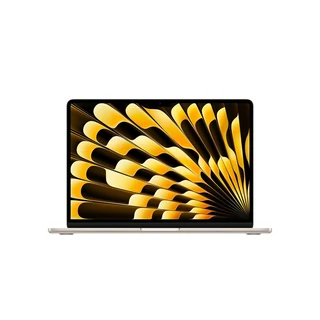
The MacBook Air M5 offers students plenty of power.
✨ The MacBook Air M5 is the most powerful Air on the market with its impressive battery life, ultra-portable design, and fast performance.
MacBook Air M5 specifications | |
|---|---|
Display | 13.6-inch or 15.3-inch Liquid Retina display, True Tone technology |
Chip | Apple M5 |
Battery life | Up to 18 hours of video streaming |
Storage options (SSD) | 512GB 1TB 2TB 4TB |
Memory (RAM) | 16GB 24GB 32GB |
Camera | 12MP Center Stage camera with support for Desk View 1080p HD video recording |
AI features | Apple Intelligence support |
Ports | 2x Thunderbolt 4 (USB-C) ports 1x Audio jack MagSafe 3 charging port |
Build | Aluminum |
Colors | Sky Blue Silver Starlight Midnight |
Software support | Estimated through 2032–2034 |
Price | Starting at $1,099.99 (13-inch) or $1,299.99 (15-inch) |
The MacBook Air M5 isn’t just the best MacBook for college students. It’s also the best overall MacBook for most people this year. The new M5 chip supports even faster performance than its M4 predecessor, and it offers a minimum of 512GB of storage (up from the Air M4’s starting amount of 256GB) and 16GB of RAM. The options go all the way up to 4TB of storage, so students saving a lot of files on their device or working with heavy-duty applications have plenty of wiggle room. The Air M5’s performance is also customizable, with the M5 chip’s GPU upgradable from 8 cores to 10 cores if you need more power.
The Air M5 also boasts Apple’s classic sleek design and weighs in at only 2.7 lbs for the 13-inch and 3.3 lbs for the 15-inch, so portability isn’t an issue. When closed, it’s only 0.45 inches tall, also making it one of the thinnest laptops on this list. Due to its combination of portability and reliability, the MacBook Air is the best laptop for nursing students, in particular.
The only downside to this MacBook is the fact that it has just 2 USB-C ports, potentially making connectivity an issue, especially when using one of those ports for charging. This is where the debate ofMacBook Air vs MacBook Pro for college comes in: If you need to connect external devices or monitors or regularly use demanding applications like Adobe Creative Suite, a MacBook Pro may be a better option. Otherwise, the MacBook Air M5 will provide more than enough power.
Pros ✅ | Cons ❌ |
|---|---|
RAM up to 32GB | Only two USB-C ports |
Upgraded storage options from 512GB to 4TB | 60Hz screen refresh rate compared to the Pro model’s 120Hz |
Thin, light, ultra-portable design | |
Long battery life and fast charging |
Refurbished price:$1,058
Versus $1,799.00 new

Refurbished price:$909
Versus $1,499.00 new

Refurbished price:$997
Versus $1,599.00 new
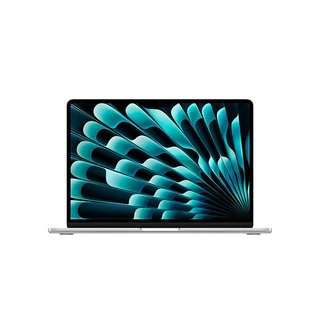
Refurbished price:$1,018
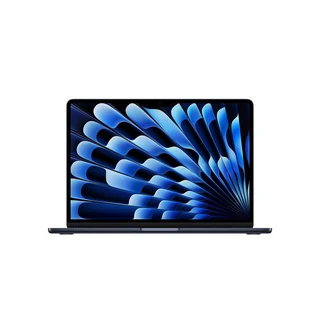
Refurbished price:$1,039
Versus $1,799.00 new
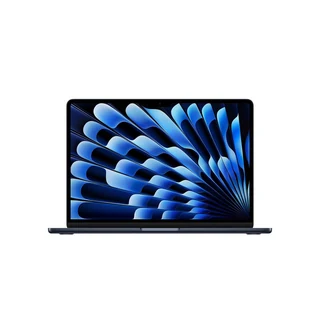
Refurbished price:$1,054
Versus $1,799.00 new

Refurbished price:$1,164
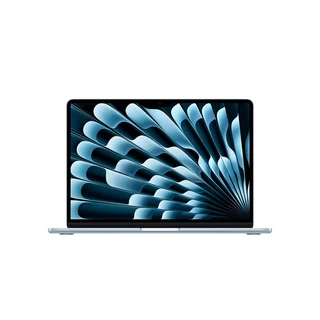
Refurbished price:$1,167
Refurbished price:$1,273


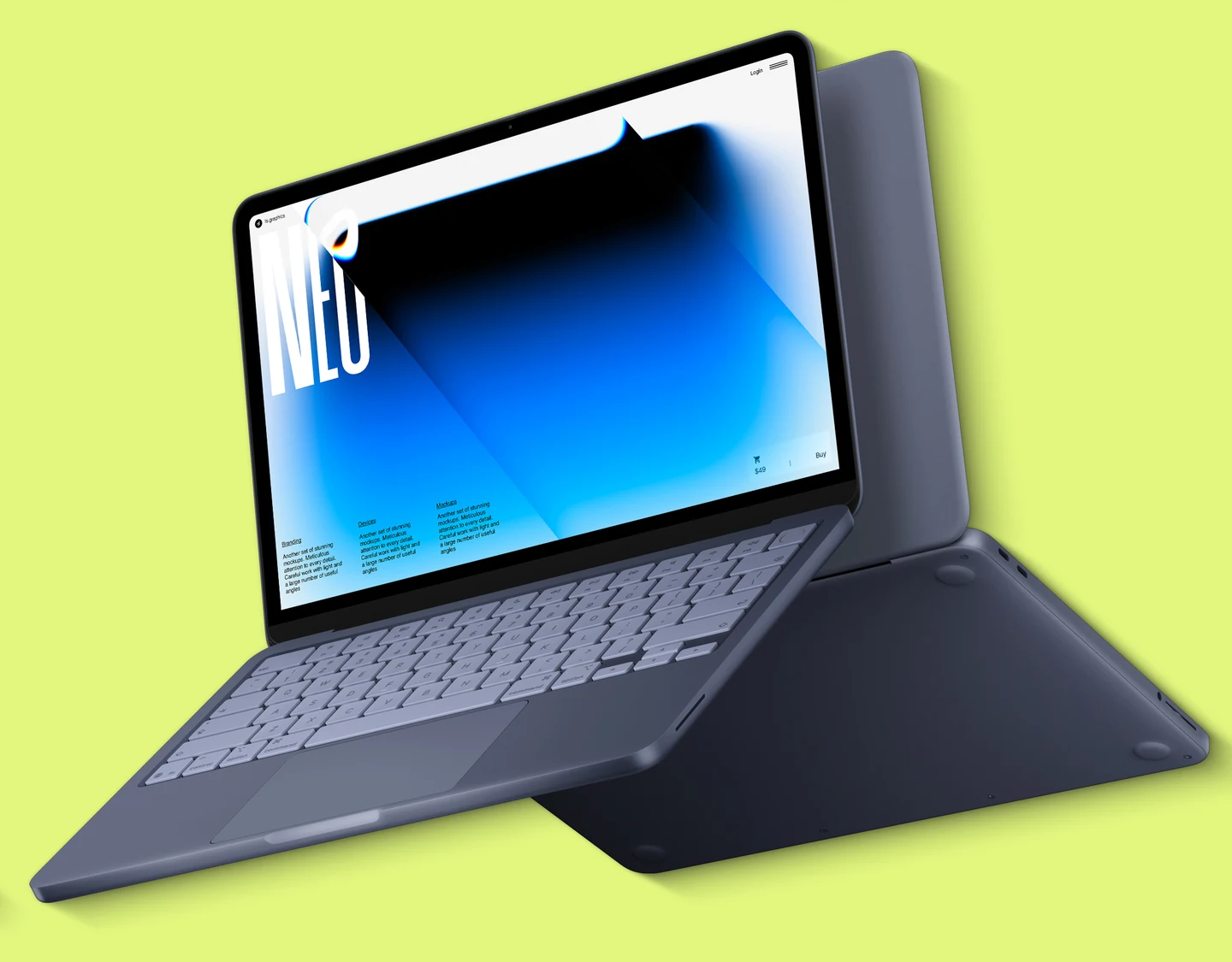
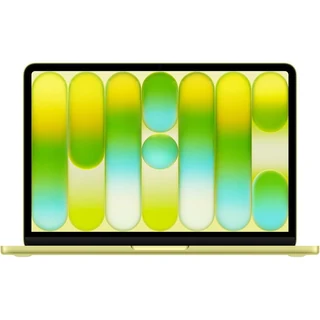
The MacBook Neo is Apple’s newest entry-level laptop.
✨ The MacBook Neo is Apple’s most affordable laptop, giving students on a budget access to the beloved Apple ecosystem.
MacBook Neo specifications | |
|---|---|
Display | 13-inch Liquid Retina display |
Chip | Apple A18 Pro |
Battery life | Up to 16 hours video streaming |
Storage options (SSD) | 256GB 512GB |
Memory (RAM) | 8GB |
Camera | 1080p FaceTime HD camera 1080p HD video recording |
AI features | Apple Intelligence support |
Ports | 1x USB 3 (USB-C) port 1x USB 2 (USB-C) port 1x Audio jack |
Build | Aluminum |
Colors | Silver Blush Citrus Indigo |
Software support | Estimated through 2030 or longer |
Price | Starting at $699 |
If you don’t need a ton of processing power and you’re on a budget, the MacBook Neo for students is a great choice. With a launch price under $1,000 and a premium, portable build, this is one of the best cheap laptops available and is the perfect college companion.
The A18 Pro chip offers fast performance and support for AI features, and its battery life of up to 16 hours rivals even that of the Air M5 — an impressive feat for a budget device. The MacBook Neo also has one of the best displays in its price range, with 500 nits of brightness and a 2408x1506p resolution, so images and graphics are crisp.
Plus, you’d never be able to tell this was a budget laptop just by looking at it. Its build, design, and durability are very similar to those of Apple’s other models, although it is just a little thicker than the MacBook Air when it’s closed.
The main disadvantages of this laptop are its RAM and storage. The computer comes with only 8GB of RAM, which may not be enough if you’re running demanding applications, and storage only goes up to 512GB. This may not be an issue if you’re using external storage drives, though. For its price, the MacBook Neo delivers a powerful punch for students.
Pros ✅ | Cons ❌ |
|---|---|
Much lower launch price than other MacBooks | Only two USB-C ports which are slower than those of other MacBooks |
Premium build and lightweight design | Only up to 512GB of storage |
Impressive display and graphics performance, especially for a budget laptop | Only 8GB of RAM |
Long battery life | Slow charging |
Refurbished price:$503
Versus $799.00 new

Refurbished price:$514

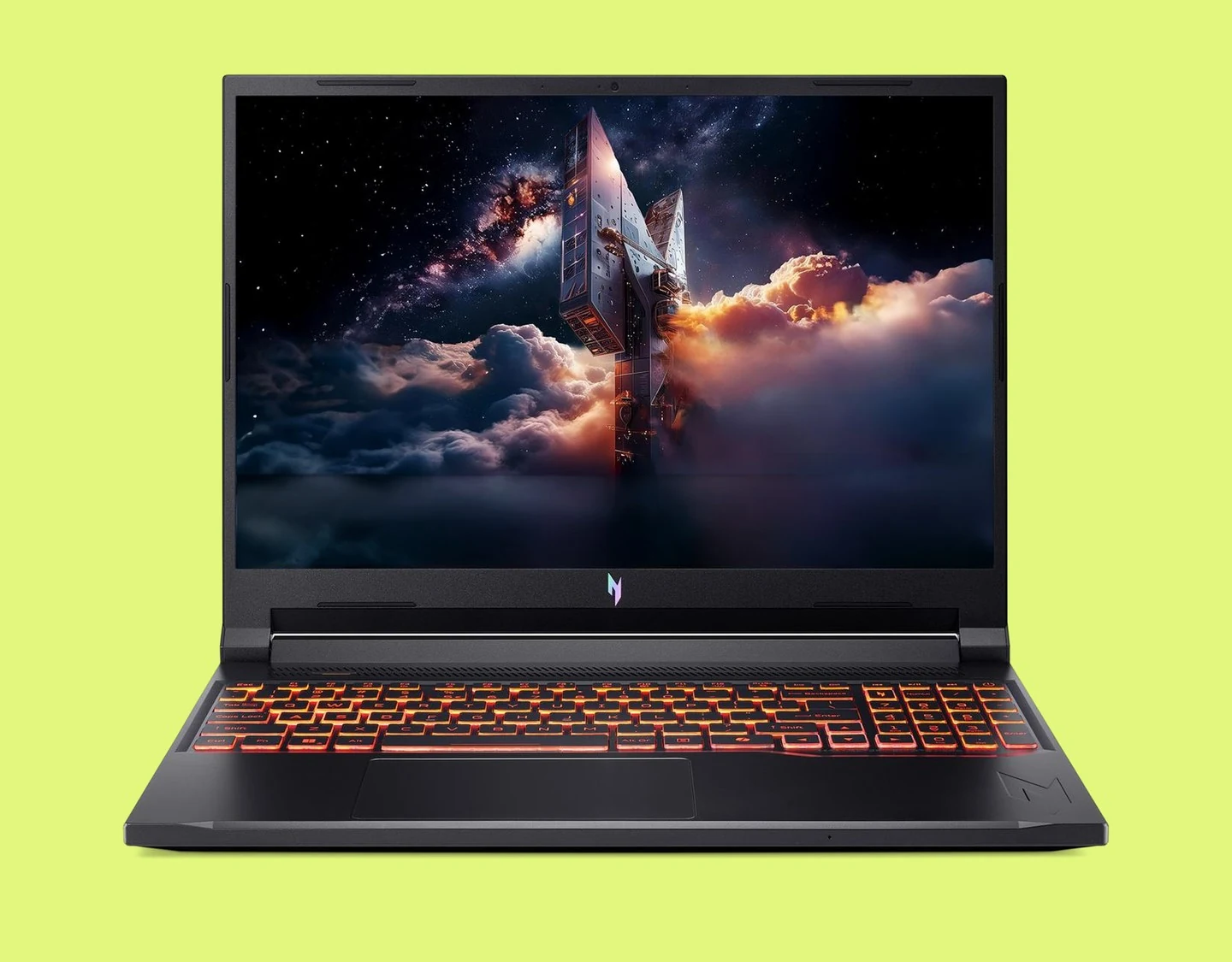
The Acer Nitro V 16 AI is a great dual-purpose device for college students who game.
✨ The Acer Nitro V 16 AI is the best gaming laptop for college students thanks to its responsive graphics performance, AI-assisted tasks, and advanced cooling system.
Acer Nitro V 16 AI specifications | |
|---|---|
Display | 16-inch WUXGA display with 180Hz refresh rate |
Chip | AMD Ryzen 200 series (Ryzen 5 240) or Ryzen AI 300 series (Ryzen AI 5 340 or Ryzen AI 7 350) |
Battery life | Up to 6 hours |
Storage options (SSD) | 512GB 1TB 2TB |
Memory (RAM) | 16GB (upgradable) |
Camera | FHD camera |
AI features | Copilot+ PC |
Ports | 1x Audio jack 3x USB-A 1x USB-C 1x microSD card reader 1 USB4 1 HDMI output |
Build | Plastic |
Colors | Black |
Software support | Estimated through 2031–2033 |
Price | Starting at $899.99 |
The Acer Nitro V 16 AI strikes the perfect balance of everyday usability and heavy-duty gaming power for college students. This laptop comes with upgradable storage and RAM so you can customize it to your needs, and its powerful Ryzen processor and 180Hz screen refresh rate ensure that both demanding titles and creative applications run with ease.
The long software support and variety of ports make this laptop both future-proof and versatile for those needing to connect monitors, drives, or other devices, and AI features make everyday tasks like notetaking and calendar management fast and easy. This laptop also stands out for its screen; it has the highest refresh rate of any laptop on this list at 180Hz, making graphics and images crisp and transitions fluid.
While this computer has more than enough power for gaming and studying, we must admit that its 16-inch build is a bit heavy at just over 5 lbs. This is to be expected for such a heavy-duty machine, but it does still make it a little less comfy to carry around all day. Its plastic build also feels a little less premium than the other laptops on this list with metal bodies.
If you aren’t concerned about weight or build, though, this is a great gaming laptop and can even be considered the best laptop for engineering students who need plenty of power and a high-quality display.
Pros ✅ | Cons ❌ |
|---|---|
180Hz screen refresh rate | Less premium plastic build |
Long software support | Heavier than most other laptops on this list |
Customizable storage and RAM | Only comes in one size |
Wide variety of ports | |
AI features |

The ASUS Chromebook Plus CX34 is a great budget buy for those not needing the power of a laptop.
✨ The ASUS Chromebook Plus CX34 stands out for its fast performance, portability, and cloud-based productivity applications.
ASUS Chromebook Plus CX34 specifications | |
|---|---|
Display | 14-inch LED touchscreen |
Chip | Intel® Core™ i3-1215U Intel® Core™ i5-1235U Intel® Core™ i5-1335U Intel® Core™ i5-1334U Intel® Core™ 5 Processor 120U Intel® Core™ i3-1315U Intel® Core™ 3 Processor 100U |
Battery life | Up to 10 hours |
Storage options (SSD) | 128GB 256GB |
Memory (RAM) | 8GB 16GB |
Camera | FHD camera |
AI features | Google AI support |
Ports | 2x USB-A 1x audio jack 2x USB-C 1x HDMI 1.4 |
Build | Plastic |
Colors | Rocky Grey Pearl White White |
Software support | Expected through 2032 |
Price | Starting at $399.99 |
If you’re not attached to either Windows or macOS and you’re looking for a budget option, consider getting a Chromebook. Deciding between a Chromebook and a laptop can be tricky, but we’re here to make it simple: The main difference between a Chromebook and a laptop is that Chromebooks run on ChromeOS and focus more on cloud-based productivity than on-device power.
If your program of study doesn’t require demanding applications to be downloaded to your desktop and you’ll mostly be doing research and document work, a Chromebook might be right for you — and the ASUS Chromebook Plus CX34 stands out as the best college laptop under $500 in this category. The great thing about this specific Chromebook is that its chipset is customizable, so you’re getting the exact amount of power you need.
The ASUS Chromebook Plus CX34 also has a touchscreen, making it versatile for tasks like notetaking and graphic design. If you opt for the 16GB RAM option, you’ll have more than enough power for some desktop applications, but you may not even need more than 8GB if you’re mostly working with Google apps like Meet, Calendar, Docs, and others. The storage situation is similar: If you’re storing most of your work in the cloud, more than 256GB isn’t necessary.
This Chromebook also has enough battery life to last a full day of classes, and it’s super light and portable, weighing in at just over 3 lbs. The downside here is that there aren’t many ports to connect external storage devices, which you may need if you don’t have more than 256GB on the device itself.
Pros ✅ | Cons ❌ |
|---|---|
ChromeOS is one of the most secure operating systems around | Low storage options |
Lower price compared to other laptops | Can’t support many desktop apps |
Touchscreen makes it versatile | Few ports |
Customizable chip | |
Excellent for cloud-based productivity |
✨ Choose macOS if you’re studying a creative major, Windows if you’re studying engineering, finance, or gaming, and ChromeOS if you’re on a budget and expect to do mostly cloud-based work.
The OS you choose for college will depend heavily on your major and the programs you need to use for it. Before making your decision, always check your school’s guidelines; some universities specifically state which OS you need on your laptop for your degree. If the decision is left up to you, think about how you’ll be using your laptops and what programs you’ll need to run on it. macOS, for example, is generally best for students with creative or liberal arts majors, while Windows is better for majors like engineering, finance, and gaming. If you expect to have a lighter workload and you’re on a budget, ChromeOS may do the trick for you. Let’s dive a little deeper.
Choose macOS if…
You’re studying video editing, photography, or design
You’ll need to run programs like Adobe Creative Suite or DaVinci Resolve
You’re looking for a good mix of reliability, long battery life, and want to stay within Apple’s ecosystem
Choose Windows if…
You’re studying finance, business, computer science, engineering, or gaming
You’ll need to run software like Python, Matlab, Rhino, or the like
You’re looking for a more affordable device than a MacBook that’s compatible with most softwares you’ll need for school
Choose ChromeOS if…
You expect to be working mostly with cloud-based programs
You’ll mostly be doing research, writing essays, or making presentations
You’re on a budget
Lenovo Yoga 7i 16 — best Windows laptop for college students | MacBook Air M5 — best MacBook for college students | MacBook Neo — best budget laptop for college students | Acer Nitro V 16 AI — best gaming laptop for college students | ASUS Chromebook Plus CX34 — best Chromebook for college students | |
RefurbLane price | $1345 | $1799 | $669 | Currently not in stock | $365 |
Price of new | Starting at $899.99 (14-inch) or $949.99 (16-inch) | Starting at $1,099.99 (13-inch) or $1,299.99 (15-inch) | Starting at $699.99 | Starting at $899.99 | Starting at $399.99 |
Display | 14-inch or 16-inch IPS or OLED touchscreen display | 13.6-inch or 15.3-inch Liquid Retina display, True Tone technology | 13-inch Liquid Retina display | 16-inch WUXGA display with 180Hz refresh rate | 14-inch LED touchscreen |
Chip | Intel® Core™ Ultra | Apple M5 (upgradable) | Apple A18 Pro | AMD Ryzen 200 series (Ryzen 5 240) or Ryzen AI 300 series (Ryzen AI 5 340 or Ryzen AI 7 350) | Intel® Core™ i3-1215U Intel® Core™ i5-1235U Intel® Core™ i5-1335U Intel® Core™ i5-1334U Intel® Core™ 5 Processor 120U Intel® Core™ i3-1315U Intel® Core™ 3 Processor 100U |
Battery life | Up to 13 hours of video streaming | Up to 18 hours of video streaming | Up to 16 hours video streaming | Up to 6 hours | Up to 10 hours |
Storage options (SSD) | 512GB 1TB | 512GB 1TB 2TB 4TB | 256GB 512GB | 512GB 1TB 2TB | 128GB 256GB |
Memory (RAM) | 16GB 32GB | 16GB 24GB 32GB | 8GB | 16GB (upgradable) | 8GB 16GB |
Camera | 1080p FHD IR Camera with Privacy Shutter | 12MP Center Stage camera with support for Desk View 1080p HD video recording | 1080p FaceTime HD camera 1080p HD video recording | FHD camera | FHD camera |
AI features | AI PC | Apple Intelligence support | Apple Intelligence support | Copilot+ PC | Google AI support |
Ports | 2x USB-C 1x HDMI 1x SD card reader 1x USB-A 1x Audio jack | 2x Thunderbolt 4 (USB-C) ports 1x Audio jack | 1x USB 3 (USB-C) port USB 2 (USB-C) port 1x Audio jack | 3x USB-A 1x USB-C 1x microSD card reader 1x Audio jack | 2x USB-A 1x Audio jack |
Build | Aluminum | Aluminum | Aluminum | Plastic | Plastic |
Colors | Luna Grey | Sky Blue Silver Starlight Midnight | Silver Blush Citrus Indigo | Black | Rocky Grey Pearl White White |
Software support | Estimated through 2030 | Estimated through 2032–2034 | Estimated through 2030 or longer | Estimated through 2031–2033 | Expected through 2036 |
*RefurbLane prices taken at the date of publication — these are subject to change.
If none of the laptops on this list are speaking to you, don’t worry: of course they’re not your only choices. There are plenty of other good laptops for college that you can consider depending on your preferences and needs. Here are some of our favorites:
HP OmniBook 5: This laptop is a great Windows alternative to the MacBook Neo, coming in a similar price range with more RAM (32GB) and storage (1TB). The OLED display is crisp and clear, the design is compact and lightweight, and the battery lasted a whopping 28 hours during CNET’s battery test.
HP OmniBook X Flip: If you want an OmniBook that’s a 2-in-1, this is your best bet. This versatile laptop is great for notetaking and includes a 3K OLED screen, although it’s a little more expensive than the OmniBook 5.
ASUS Zenbook A14: This laptop is among the lightest you can buy at less than 2.5 lbs, making it super easy to carry across campus. It boasts long battery life, starts at 16GB of RAM, and starts at a price of less than $1000 for the base model.
Laptops aren’t exactly cheap, but there are ways to get your hands on a device for college at a lower price. First off, you can wait for sale events like Black Friday and Cyber Monday, when many retailers offer discounts on various tech items. Or, you could bundle your new laptop with a smartphone, headphones, or other tech to lower the overall cost. Many retailers also offer back-to-school sales and student discounts, so you can take advantage of these.
The best way to get a laptop for college for less, though, is to get a refurbished laptop from RefurbLane, so you don’t have to wait for special events to score deals.
Yes, buying refurbished is an especially good deal for college students, as it offers an opportunity to get your hands on the newest tech for much less. At RefurbLane, we specialize in Verified Refurbished devices, meaning each item you see on our pages has gone through a 100-point checklist of inspections, repairs, cleanings, and tests to ensure it performs up to its original benchmarks. Each of our devices also comes with at least 85% battery health and 100% charging capacity, so you can be sure it’ll last.
College students worried about sustainability will also be happy to learn that buying refurbished is better for the planet. When you give old tech a second life, you keep perfectly good devices from ending up as e-waste in landfills, and you reduce the need for new manufacturing.
If you’re still on the fence about a refurbished laptop for college, our 1-year warranty and 30-day return period also help you shop with peace of mind. Check out what this RefurbLane customer had to say about their new laptop:
“I was a little nervous ordering a “Fair” condition refurbished MacBook Air, but this purchase exceeded my expectations.
I purchased a 2025 MacBook Air M4 with 16GB RAM and 256GB SSD for $876, and when it arrived it looked almost flawless. The screen, keyboard, trackpad, and exterior were all in excellent condition with only the slightest signs of use. Honestly, I would not have guessed this was graded as “Fair.”
The battery was another pleasant surprise. The laptop arrived with only 32 battery cycles, 100% maximum battery capacity, and a normal battery condition. It feels very close to a brand-new machine.
Most importantly, the specifications matched exactly what was advertised: 2025 MacBook Air, Apple M4 chip, and 16GB of memory. Setup was easy, performance is incredibly fast, and the upgrade from my 2015 MacBook Air has been dramatic.
Based on my experience, I would absolutely buy from RefurbLane again. Great value, accurate description, and a product that exceeded my expectations.”
If you’re looking to save even more, consider trading in any old tech you no longer use. Our is simple: Fill out a short form online with details about your device, get a quote from us, and ship it to us for free. Once your device is verified, you get paid — either with cash back in your pocket or credit to put towards your next purchase from RefurbLane. It’s really that easy.
✨The best laptop for college in 2026 depends on your program of study, your priorities, your budget, and how you plan to use it. Shopping for a refurbished laptop from RefurbLane can help you get your hands on the best one for you at a much lower price than buying new.

Miguel is always looking for new ways to provide unique perspective on popular tech and has taken his writing to the refurbished industry to promote sustainability. Outside of creating content, you might find him travelling the globe, coaching a fitness class, or cheering on his favorite sports teams (Go Dolphins!)