'%3e%3cpath%20fill='%23f0f0f0'%20d='M40%200H0v26.667h40V0'/%3e%3cpath%20fill='%23d80027'%20d='M40%2024.5v2.1H0v-2.1h40m0-2.15H0v-2.1h40v2.1m0-4H0v-2.1h40v2.1m0-4H0v-2.1h40v2.1m0-4.25H0V8h40v2.1m0-4H0V4h40v2.1m0-4H0V0h40v2.1'/%3e%3cpath%20fill='%232e52b2'%20d='M20%200H0v14.36h20V0'/%3e%3cpath%20fill='%23f0f0f0'%20d='M1.927%2012.964H2.5l-.464.337.178.545L1.75%2013.51l-.464.336.178-.545L1%2012.964h.573L1.75%2012.42l.177.545m3.172%200h.573l-.464.337.177.545-.463-.336-.464.336.178-.545-.464-.337h.573l.177-.545.177.545m3.172%200h.573L8.38%2013.301l.177.545-.463-.336-.464.336.177-.545-.463-.337h.572l.178-.545.177.545m3.171%200h.574l-.464.337.177.545-.463-.336-.464.336.177-.545-.463-.337h.572l.178-.545.176.545m3.485%200H15.5l-.464.337.178.545-.464-.336-.464.336.178-.545L14%2012.964h.573l.177-.545.177.545m3.5%200H19l-.464.337.178.545-.464-.336-.464.336.178-.545-.464-.337h.573l.177-.545.177.545m-15-1.406H4l-.464.337.178.545-.464-.337-.464.337.178-.545L2.5%2011.558h.573l.177-.545.177.545m3.172%200h.573l-.464.337.177.545-.463-.337-.464.337.178-.545-.464-.337h.573l.177-.545.177.545m3.172%200h.573L9.88%2011.895l.177.545-.463-.337L9.13%2012.44l.177-.545-.463-.337h.572l.178-.545.177.545m3.171%200h.574l-.464.337.177.545-.463-.337-.464.337.177-.545-.463-.337h.572l.178-.545.176.545m3.485%200H17l-.464.337.178.545-.464-.337-.464.337.178-.545-.464-.337h.573l.177-.545.177.545m-14.5-1.57H2.5l-.464.337.178.545-.464-.337-.464.337.178-.545L1%209.988h.573L1.75%209.443l.177.545m3.172%200h.573l-.464.337.177.545-.463-.337-.464.337.178-.545-.464-.337h.573l.177-.545.177.545m3.172%200h.573L8.38%2010.325l.177.545-.463-.337L7.63%2010.87l.177-.545-.463-.337h.572l.178-.545.177.545m3.171%200h.574l-.464.337.177.545-.463-.337-.464.337.177-.545-.463-.337h.572l.178-.545.176.545m3.485%200H15.5l-.464.337.178.545-.464-.337-.464.337.178-.545L14%209.988h.573l.177-.545.177.545m3.5%200H19l-.464.337.178.545-.464-.337-.464.337.178-.545L17.5%209.988h.573l.177-.545.177.545m-15-1.43H4L3.536%208.895%203.714%209.44%203.25%209.103%202.786%209.44l.178-.545L2.5%208.558h.573L3.25%208.013l.177.545m3.172%200h.573L6.708%208.895%206.885%209.44%206.422%209.103%205.958%209.44l.178-.545-.464-.337h.573l.177-.545.177.545m3.172%200h.573L9.88%208.895l.177.545-.463-.337L9.13%209.44l.177-.545-.463-.337h.572l.178-.545.177.545m3.171%200h.574l-.464.337.177.545-.463-.337-.464.337.177-.545-.463-.337h.572l.178-.545.176.545m3.485%200H17l-.464.337.178.545-.464-.337-.464.337.178-.545L15.5%208.558h.573l.177-.545.177.545m-14.5-1.547H2.5L2.036%207.348l.178.545L1.75%207.556%201.286%207.893l.178-.545L1%207.011h.573L1.75%206.466l.177.545m3.172%200h.573L5.208%207.348l.177.545-.463-.337-.464.337.178-.545-.464-.337h.573l.177-.545.177.545m3.172%200h.573L8.38%207.348l.177.545-.463-.337L7.63%207.893l.177-.545-.463-.337h.572l.178-.545.177.545m3.171%200h.574l-.464.337.177.545-.463-.337-.464.337.177-.545-.463-.337h.572l.178-.545.176.545m3.485%200H15.5l-.464.337.178.545-.464-.337-.464.337.178-.545L14%207.011h.573l.177-.545.177.545m3.5%200H19l-.464.337.178.545-.464-.337-.464.337.178-.545L17.5%207.011h.573l.177-.545.177.545m-15-1.453H4L3.536%205.895%203.714%206.44%203.25%206.103%202.786%206.44l.178-.545L2.5%205.558h.573L3.25%205.013l.177.545m3.172%200h.573L6.708%205.895%206.885%206.44%206.422%206.103%205.958%206.44l.178-.545-.464-.337h.573l.177-.545.177.545m3.172%200h.573L9.88%205.895l.177.545-.463-.337L9.13%206.44l.177-.545-.463-.337h.572l.178-.545.177.545m3.171%200h.574l-.464.337.177.545-.463-.337-.464.337.177-.545-.463-.337h.572l.178-.545.176.545m3.485%200H17l-.464.337.178.545-.464-.337-.464.337.178-.545L15.5%205.558h.573l.177-.545.177.545m-14.5-1.523H2.5L2.036%204.37l.178.545L1.75%204.58%201.286%204.916l.178-.545L1%204.035h.573L1.75%203.49l.177.545m3.172%200h.573L5.208%204.37l.177.545L4.922%204.58%204.458%204.916l.178-.545-.464-.336h.573L4.922%203.49l.177.545m3.172%200h.573L8.38%204.37l.177.545L8.094%204.58%207.63%204.916l.177-.545-.463-.336h.572L8.094%203.49%208.27%204.035m3.171%200h.574L11.552%204.37l.177.545-.463-.337-.464.337.177-.545-.463-.336h.572l.178-.545.176.545m3.485%200H15.5L15.036%204.37l.178.545L14.75%204.58l-.464.337.178-.545L14%204.035h.573L14.75%203.49l.177.545m3.5%200H19L18.536%204.37l.178.545L18.25%204.58l-.464.337.178-.545L17.5%204.035h.573L18.25%203.49l.177.545m-15-1.477H4L3.536%202.895%203.714%203.44%203.25%203.103%202.786%203.44l.178-.545L2.5%202.558h.573L3.25%202.013l.177.545m3.172%200h.573L6.708%202.895%206.885%203.44%206.422%203.103%205.958%203.44l.178-.545-.464-.337h.573l.177-.545.177.545m3.172%200h.573L9.88%202.895l.177.545-.463-.337L9.13%203.44l.177-.545-.463-.337h.572l.178-.545.177.545m3.171%200h.574l-.464.337.177.545-.463-.337-.464.337.177-.545-.463-.337h.572l.178-.545.176.545m3.485%200H17l-.464.337.178.545-.464-.337-.464.337.178-.545L15.5%202.558h.573l.177-.545.177.545m-14.5-1.5H2.5L2.036%201.395%202.214%201.94%201.75%201.603%201.286%201.94l.178-.545L1%201.058h.573L1.75.513l.177.545m3.172%200h.573L5.208%201.395%205.385%201.94%204.922%201.603%204.458%201.94l.178-.545-.464-.337h.573l.177-.545.177.545m3.172%200h.573L8.38%201.395%208.557%201.94%208.094%201.603%207.63%201.94l.177-.545-.463-.337h.572l.178-.545.177.545m3.171%200h.574l-.464.337.177.545-.463-.337-.464.337.177-.545-.463-.337h.572l.178-.545.176.545m3.485%200H15.5l-.464.337.178.545-.464-.337-.464.337.178-.545L14%201.058h.573l.177-.545.177.545m3.5%200H19l-.464.337.178.545-.464-.337-.464.337.178-.545L17.5%201.058h.573l.177-.545.177.545'/%3e%3c/g%3e%3cdefs%3e%3cclipPath%20id='country-flag-us-a'%3e%3cpath%20fill='%23fff'%20d='M0%200h40v26.67H0z'/%3e%3c/clipPath%3e%3c/defs%3e%3c/svg%3e)
'%3e%3cpath%20fill='%23f0f0f0'%20d='M40%200H0v26.666h40V0'/%3e%3cpath%20fill='%23d80027'%20d='M40%200H0v8.889h40V0m0%2017.778H0v8.888h40v-8.888'/%3e%3c/g%3e%3cdefs%3e%3cclipPath%20id='country-flag-at-a'%3e%3cpath%20fill='%23fff'%20d='M0%200h40v26.67H0z'/%3e%3c/clipPath%3e%3c/defs%3e%3c/svg%3e)
'%3e%3cpath%20fill='%2310338c'%20d='M0%200h40v26.67H0V0'/%3e%3cpath%20fill='%23fff'%20d='m9.899%2016.971.856%201.828%201.922-.455-.856%201.82%201.549%201.261-1.93.447.008%202.028-1.55-1.27-1.54%201.27.008-2.028-1.93-.447%201.548-1.26-.863-1.82%201.93.454.848-1.828m20.226%203.552.404.87.919-.215-.413.87.74.599-.919.207v.974l-.732-.607-.739.607.008-.974-.918-.207.739-.599-.412-.87.918.215.405-.87M25.097%209.986l.405.87.918-.215-.412.87.74.599-.92.215v.966l-.73-.607-.74.607.008-.966-.926-.215.739-.599-.412-.87.918.215.412-.87m5.028-7.2.404.87.919-.215-.413.87.74.598-.919.216V6.09l-.732-.607-.739.607.008-.966-.918-.216.739-.598-.412-.87.918.215.405-.87m4.552%205.245.405.87L36%208.685l-.413.87.74.599-.918.207v.974l-.732-.606-.74.606v-.974l-.918-.207.74-.599-.413-.87.919.216.412-.87m-2.91%205.26.319%201.014h1.035l-.84.623.326%201.013-.84-.63-.84.63.318-1.014-.833-.622h1.036l.319-1.014M19.922%200v2.443l-3.51%202.003h3.51V9.18h-4.599l4.6%202.618v1.828h-2.079l-5.72-3.264v3.264H7.799v-3.88l-6.802%203.88H0v-2.442L3.518%209.18H0V4.446h4.6L0%201.82V0h2.078l5.72%203.257V0h4.326v3.88L18.935%200h.988'/%3e%3cpath%20fill='%23d80027'%20d='M11.206%200h-2.49v5.532H0v2.554h8.716v5.54h2.49v-5.54h8.716V5.532h-8.716V0'/%3e%3cpath%20fill='%230052b4'%20d='m12.125%209.18%207.797%204.446v-1.26L14.335%209.18h-2.21'/%3e%3cpath%20fill='%23fff'%20d='m12.125%209.18%207.797%204.446v-1.26L14.335%209.18h-2.21'/%3e%3cpath%20fill='%23d80027'%20d='m12.125%209.18%207.797%204.446v-1.26L14.335%209.18h-2.21m-6.53%200L0%2012.365v1.261L7.798%209.18H5.595'/%3e%3cpath%20fill='%230052b4'%20d='M7.798%204.446%200%200v1.253l5.595%203.193h2.203'/%3e%3cpath%20fill='%23fff'%20d='M7.798%204.446%200%200v1.253l5.595%203.193h2.203'/%3e%3cpath%20fill='%23d80027'%20d='M7.798%204.446%200%200v1.253l5.595%203.193h2.203m6.537%200%205.587-3.193V0l-7.798%204.446h2.21'/%3e%3c/g%3e%3cdefs%3e%3cclipPath%20id='country-flag-au-a'%3e%3cpath%20fill='%23fff'%20d='M0%200h40v26.67H0z'/%3e%3c/clipPath%3e%3c/defs%3e%3c/svg%3e)
'%3e%3cpath%20fill='%23ffda44'%20d='M40%200H0v26.67h40V0'/%3e%3cpath%20fill='%23000'%20d='M13.333%200H0v26.67h13.333V0'/%3e%3cpath%20fill='%23d80027'%20d='M40%200H26.667v26.67H40V0'/%3e%3c/g%3e%3cdefs%3e%3cclipPath%20id='country-flag-be-a'%3e%3cpath%20fill='%23fff'%20d='M0%200h40v26.67H0z'/%3e%3c/clipPath%3e%3c/defs%3e%3c/svg%3e)
'%3e%3cpath%20fill='%23000'%20d='M40%200H0v8.89h40V0'/%3e%3cpath%20fill='%23d80027'%20d='M40%208.89H0v8.89h40V8.89'/%3e%3cpath%20fill='%23ffda44'%20d='M40%2017.78H0v8.89h40v-8.89'/%3e%3c/g%3e%3cdefs%3e%3cclipPath%20id='country-flag-de-a'%3e%3cpath%20fill='%23fff'%20d='M0%200h40v26.67H0z'/%3e%3c/clipPath%3e%3c/defs%3e%3c/svg%3e)
'%3e%3cpath%20fill='%23ffda44'%20d='M40%200H0v26.667h40V0'/%3e%3cpath%20fill='%23d80027'%20d='M40%200H0v8.889h40V0m0%2017.777H0v8.89h40v-8.89'/%3e%3c/g%3e%3cdefs%3e%3cclipPath%20id='country-flag-es-a'%3e%3cpath%20fill='%23fff'%20d='M0%200h40v26.67H0z'/%3e%3c/clipPath%3e%3c/defs%3e%3c/svg%3e)
'%3e%3cpath%20fill='%23f0f0f0'%20d='M40%200H0v26.667h40V0'/%3e%3cpath%20fill='%232e52b2'%20d='M40%2011.667V15H14.348v11.667h-3.334V15H0v-3.333h11.014V0h3.334v11.667H40'/%3e%3c/g%3e%3cdefs%3e%3cclipPath%20id='country-flag-fi-a'%3e%3cpath%20fill='%23fff'%20d='M0%200h40v26.67H0z'/%3e%3c/clipPath%3e%3c/defs%3e%3c/svg%3e)
'%3e%3cpath%20fill='%23f0f0f0'%20d='M40%200H0v26.667h40V0'/%3e%3cpath%20fill='%230052b4'%20d='M13.333%200H0v26.667h13.333V0'/%3e%3cpath%20fill='%23d80027'%20d='M40%200H26.667v26.667H40V0'/%3e%3c/g%3e%3cdefs%3e%3cclipPath%20id='country-flag-fr-a'%3e%3cpath%20fill='%23fff'%20d='M0%200h40v26.67H0z'/%3e%3c/clipPath%3e%3c/defs%3e%3c/svg%3e)
'%3e%3cpath%20fill='%23f0f0f0'%20d='M40%200H0v26.667h40V0'/%3e%3cpath%20fill='%23d80027'%20d='M22.5%200h-5v10.833H0v5h17.5v10.833h5V15.833H40v-5H22.5V0'/%3e%3cpath%20fill='%230052b4'%20d='M30.765%2017.97%2040%2023.102v-5.13h-9.235m-6.417-.002L40%2026.667v-2.459l-11.226-6.236h-4.426m11.482%208.694-11.482-6.38v6.38H35.83'/%3e%3cpath%20fill='%23f0f0f0'%20d='M24.348%2017.97%2040%2026.667v-2.459l-11.226-6.236h-4.426'/%3e%3cpath%20fill='%23d80027'%20d='M24.348%2017.97%2040%2026.667v-2.459l-11.226-6.236h-4.426'/%3e%3cpath%20fill='%230052b4'%20d='M7.058%2017.97%200%2021.891v-3.92h7.058m8.594%201.105v7.59H1.992l13.66-7.59'/%3e%3cpath%20fill='%23d80027'%20d='M11.226%2017.97%200%2024.208v2.46l15.652-8.696h-4.426'/%3e%3cpath%20fill='%230052b4'%20d='M9.235%208.696%200%203.565v5.13h9.235m6.417.001L0%200v2.459l11.226%206.237h4.426M4.17%200l11.482%206.38V0H4.17'/%3e%3cpath%20fill='%23f0f0f0'%20d='M15.652%208.696%200%200v2.459l11.226%206.237h4.426'/%3e%3cpath%20fill='%23d80027'%20d='M15.652%208.696%200%200v2.459l11.226%206.237h4.426'/%3e%3cpath%20fill='%230052b4'%20d='M32.942%208.696%2040%204.774v3.922h-7.058M24.348%207.59V0h13.66l-13.66%207.59'/%3e%3cpath%20fill='%23d80027'%20d='M28.774%208.696%2040%202.459V0L24.348%208.696h4.426'/%3e%3c/g%3e%3cdefs%3e%3cclipPath%20id='country-flag-gb-a'%3e%3cpath%20fill='%23fff'%20d='M0%200h40v26.67H0z'/%3e%3c/clipPath%3e%3c/defs%3e%3c/svg%3e)
'%3e%3cpath%20fill='%23f0f0f0'%20d='M40%200H0v26.666h40V0'/%3e%3cpath%20fill='%23338af3'%20d='M40%200H0v3.333h40V0m0%206.667H0V10h40V6.667m0%206.667H0v3.333h40v-3.334M40%2020H0v3.333h40V20'/%3e%3cpath%20fill='%23338af3'%20d='M14.782%200H0v13.334h14.782V0'/%3e%3cpath%20fill='%23f0f0f0'%20d='M14.782%205.186H0v2.962h14.782V5.186'/%3e%3cpath%20fill='%23f0f0f0'%20d='M8.872%200H5.91v13.334h2.962V0'/%3e%3c/g%3e%3cdefs%3e%3cclipPath%20id='country-flag-gr-a'%3e%3cpath%20fill='%23fff'%20d='M0%200h40v26.67H0z'/%3e%3c/clipPath%3e%3c/defs%3e%3c/svg%3e)
'%3e%3cpath%20fill='%23f0f0f0'%20d='M40%200H0v26.666h40V0'/%3e%3cpath%20fill='%236da544'%20d='M13.333%200H0v26.667h13.333V0'/%3e%3cpath%20fill='%23ff9811'%20d='M40%200H26.667v26.667H40V0'/%3e%3c/g%3e%3cdefs%3e%3cclipPath%20id='country-flag-ie-a'%3e%3cpath%20fill='%23fff'%20d='M0%200h40v26.67H0z'/%3e%3c/clipPath%3e%3c/defs%3e%3c/svg%3e)
'%3e%3cpath%20fill='%23f0f0f0'%20d='M26.667%200H0v26.667h40V0H26.667'/%3e%3cpath%20fill='%236da544'%20d='M13.333%200H0v26.667h13.333V0'/%3e%3cpath%20fill='%23d80027'%20d='M40%200H26.667v26.667H40V0'/%3e%3c/g%3e%3cdefs%3e%3cclipPath%20id='country-flag-it-a'%3e%3cpath%20fill='%23fff'%20d='M0%200h40v26.67H0z'/%3e%3c/clipPath%3e%3c/defs%3e%3c/svg%3e)
'%3e%3cpath%20fill='%23f0f0f0'%20fill-rule='evenodd'%20d='M0%20.86h40v26.67H0V.86'%20clip-rule='evenodd'/%3e%3cpath%20fill='%23d80027'%20d='M20%2021.835a8.5%208.5%200%201%200%200-17%208.5%208.5%200%200%200%200%2017'/%3e%3c/g%3e%3cdefs%3e%3cclipPath%20id='country-flag-jp-a'%3e%3cpath%20fill='%23fff'%20d='M0%200h40v26.67H0z'/%3e%3c/clipPath%3e%3c/defs%3e%3c/svg%3e)
'%3e%3cpath%20fill='%23a2001d'%20d='M40%200H0v8.89h40V0'/%3e%3cpath%20fill='%23f0f0f0'%20d='M40%208.89H0v8.89h40V8.89'/%3e%3cpath%20fill='%230052b4'%20d='M40%2017.78H0v8.89h40v-8.89'/%3e%3c/g%3e%3cdefs%3e%3cclipPath%20id='country-flag-nl-a'%3e%3cpath%20fill='%23fff'%20d='M0%200h40v26.67H0z'/%3e%3c/clipPath%3e%3c/defs%3e%3c/svg%3e)
'%3e%3cpath%20fill='%23d80027'%20d='M40%200H0v26.666h40V0'/%3e%3cpath%20fill='%236da544'%20d='M15.363%200v26.666H0V0h15.363'/%3e%3cpath%20fill='%23ffda44'%20d='M15.363%2018.335a5%205%200%201%200%200-10%205%205%200%200%200%200%2010'/%3e%3cpath%20fill='%23d80027'%20d='M12.55%2010.835v3.125a2.813%202.813%200%200%200%205.625%200v-3.125H12.55'/%3e%3cpath%20fill='%23f0f0f0'%20d='M15.362%2014.898a.94.94%200%200%201-.937-.938v-1.25H16.3v1.25a.94.94%200%200%201-.938.938'/%3e%3c/g%3e%3cdefs%3e%3cclipPath%20id='country-flag-pt-a'%3e%3cpath%20fill='%23fff'%20d='M0%200h40v26.67H0z'/%3e%3c/clipPath%3e%3c/defs%3e%3c/svg%3e)
'%3e%3cpath%20fill='%230052b4'%20d='M40%200H0v26.667h40V0'/%3e%3cpath%20fill='%23ffda44'%20d='M15%200h-5v10.833H0v5h10v10.834h5V15.833h25v-5H15V0'/%3e%3c/g%3e%3cdefs%3e%3cclipPath%20id='country-flag-se-a'%3e%3cpath%20fill='%23fff'%20d='M0%200h40v26.67H0z'/%3e%3c/clipPath%3e%3c/defs%3e%3c/svg%3e)
'%3e%3cpath%20fill='%23f0f0f0'%20d='M40%200H0v26.666h40V0'/%3e%3cpath%20fill='%230052b4'%20d='M40%208.696H0v9.275h40V8.696'/%3e%3cpath%20fill='%23d80027'%20d='M40%2017.97H0v8.696h40v-8.695'/%3e%3cpath%20fill='%23f0f0f0'%20d='M10.115%207.538v6.651c0%203.784%204.942%204.943%204.942%204.943S20%2017.972%2020%2014.189V7.538h-9.885'/%3e%3cpath%20fill='%23d80027'%20d='M11.416%207.733v6.402a2.7%202.7%200%200%200%20.283%201.21h6.717a2.7%202.7%200%200%200%20.283-1.21V7.733h-7.283'/%3e%3cpath%20fill='%23f0f0f0'%20d='M17.29%2012.196h-1.675v-1.115h1.116V9.965h-1.116V8.849H14.5v1.116h-1.115v1.116H14.5v1.115h-1.673v1.116H14.5v1.116h1.116v-1.116h1.674v-1.116'/%3e%3cpath%20fill='%230052b4'%20d='M13.221%2016.902a8%208%200%200%200%201.836.83%208%208%200%200%200%201.836-.83q1.09-.685%201.523-1.558a1.94%201.94%200%200%200-1.57-.306%201.953%201.953%200%200%200-3.576%200%201.96%201.96%200%200%200-1.57.306q.433.872%201.521%201.558'/%3e%3c/g%3e%3cdefs%3e%3cclipPath%20id='country-flag-sk-a'%3e%3cpath%20fill='%23fff'%20d='M0%200h40v26.67H0z'/%3e%3c/clipPath%3e%3c/defs%3e%3c/svg%3e)
(14)
Refurbished price:$1,018

What are you looking for?

Updated on September 16, 2026
September 16, 2026
27 mins read

Miguel G.
Sr. Tech Copywriter (US)
Laptop technology is ever-evolving, and we understand it can be hard to keep up with all the new models, features, and brands that are available. The good news, though, is that the best laptop for you doesn’t have to be the newest, priciest model (unless, of course, that’s your preference). Whether you’re buying a laptop for school, work, heavy creative tasks, gaming, or just casual home use, you’ll be able to find a model that fits both your needs and your budget. In this guide, we’ll explore the best laptop brands, specs, prices, and features of both Windows and Mac options to help you make the most informed buying decision.

The best laptop for you in 2026 is the one that fits your needs and your budget, whatever they may be. That being said, there are some clear winners for each use case. The best laptop in 2026 overall is the MacBook Air M5, while the best budget laptop is the MacBook Neo. College students particularly will benefit from the Lenovo IdeaPad Slim 5x, while heavy gamers will enjoy the Dell Alienware 16X Aurora for its powerful graphics. Creatives needing a powerful computer for demanding tasks will want to check out the MacBook Pro M5, but professionals working either at home or on the go may benefit more from the HP EliteBook Ultra G1i. If you prefer to stick to Windows no matter what, the best Windows laptop is the Dell XPS 14.
Our goal at RefurbLane is simple: to make tech affordable, sustainable, and reliable. To do this, we breathe new life into old tech by refurbishing used devices, including all kinds of laptops, to restore them to their original working condition. This means we know the ins and outs of all the top laptop models today, including both Windows and Apple. Our certified third-party refurbishers work with these computers daily, and they provide us with the insight needed to understand how they compare to each other and which is best for different use cases.
We also pride ourselves on staying up-to-date on all things tech, with our finger on the pulse of the latest news, rumors, and user reviews, so we know how these devices are measuring up during real-world use. In this best laptop guide, we’ve combined our expert insights with real-world knowledge to help you make a confident buying decision.

Best laptop overall

Best budget laptop

Best laptop for students
Best laptop for gamers
Best laptop for creatives

Best laptop for professionals

Best Windows laptop
Before we dive into the details of our top picks for the best laptop, it’s important to understand what you’re actually looking for in your new computer. According to real-world users, and in our humble opinion, these specs are the most important no matter what use case you’re buying for:
Memory (RAM): One of the most common questions we get is, “How much RAM do I need in a laptop?.” The short answer: You’ll want at least 16GB of RAM unless you need something only for super light use. According to one Redditor, “8gb will choke you if you run anything heavy,” and we have to agree.
Storage: If you plan on running heavy programs or saving items directly on your device, opt for at least 512GB of storage or more to keep your laptop running efficiently.
Battery life: If you don’t want to be tethered to an outlet after just a few hours of light use, make sure you get a device that promises at least a full day on a single charge.
Portability: The size and weight of your laptop matter, especially if you’ll be traveling or otherwise carrying it around a lot.
Price: The best laptop for you is always the one that gets you the best specs for your budget. There’s no reason to overspend for features you don’t need or won’t use.
Keeping these in mind when browsing options will help you make a smart buying decision.
Buy a Mac laptop if you’re attached to the Apple ecosystem or if you do heavy creative work. Buy a Windows laptop, on the other hand, if you’re a heavy gamer or you prefer more flexibility and customization options.
Both MacBooks and Windows laptops have their pros and cons. MacBooks get a bad rap for being expensive, but higher-end Windows laptops can match or even exceed MacBook prices, so it all comes down to what your priorities are.
MacBooks enjoy the seamlessly integrated Apple ecosystem that works across other devices like the iPhone, Apple Watch, AirPods, iPad, and more — if you’re the owner of any of these other devices, a MacBook may be best for you. MacBooks, whether you’re in the market for an Air or a Pro, are also known for their superiority when it comes to running many creative programs, such as video editing software.
Windows laptops, on the other hand, offer a wider range of choices. They may not match MacBooks in creative tasks, but the brand and operating system flexibility they offer allows you to customize your laptop more. They can also be better for gaming and programming than MacBooks.

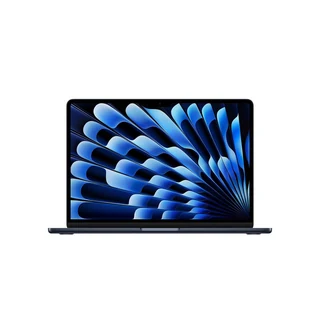
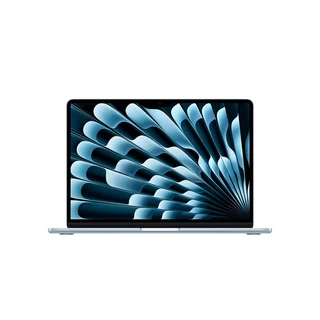
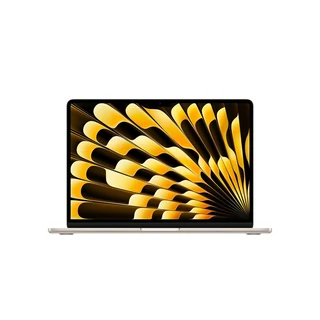
The MacBook Air M5 is one of the best laptops you can buy in 2026.
✨ The MacBook Air M5 is the best overall laptop for most people thanks to its mix of processing power, thin and light design, and impressive battery life.
MacBook Air M5 specifications | |
|---|---|
Display | 13.6-inch or 15.3-inch Liquid Retina display, True Tone technology |
Chip | Apple M5 (upgradable) |
Battery life | Up to 18 hours of video streaming |
Storage options (SSD) | 512GB 1TB 2TB 4TB |
Memory (RAM) | 16GB 24GB 32GB |
Camera | 12MP Center Stage camera with support for Desk View 1080p HD video recording |
AI features | Apple Intelligence support |
Ports | 2x Thunderbolt 4 (USB-C) ports 1x Audio jack |
Build | Aluminum |
Weight | 2.7 lbs (13-inch) 3.3 lbs (15-inch) |
Colors | Sky Blue Silver Starlight Midnight |
Software support | Estimated through 2032–2034 |
Best for | Anyone looking for a versatile and lightweight powerhouse that can handle demanding tasks without paying for a Pro model |
The MacBook Air M5 is a powerhouse, and an unexpected one, given its ultra-thin design. The new M5 chip handles tasks just as easily as the MacBook Pro M4 and is even customizable. The standard is already pretty strong with a 10-core CPU, 8-core GPU, and 16-core Neural Engine, but you can boost this up to a 10-core GPU for even more power. Creative tasks, video streaming, and running multiple programs shouldn’t be an issue with this device.
Its battery life is promised at up to 18 hours of video streaming, so you should be able to last a full day of use on the go, and you can even choose from several power adapters depending on your desired charging speed. With its weight at only 2.7 lbs (for the 13-inch) and height (when closed) at only 0.44 inches, this laptop is also ultra-portable.
While the RAM options are the same as its M4 predecessor, the storage options for the Air M5 have also gotten an upgrade, starting at 512GB instead of the previous 256GB, and giving you a new 4TB option for those who need the absolute most. The Air M5 does admittedly come with a higher launch price than the M4, but we think the jump in storage may justify it.
The main downside of this laptop is its mere two USB-C ports. If you’re a professional needing to connect a lot of different devices or external monitors, this may seem lacking.
Otherwise, the Air M5’s Apple Intelligence support, Apple ecosystem, and impressive power make this the best overall purchase decision for most people. In fact, one Redditor even said:
“Its so worth it. I was a lifelong Windows laptop user going back to Compaq Armada M700. Got my first MBA at M5 release and my brain still can't comprehend how good the MBA is vs Windows laptop.”
Pros ✅ | Cons ❌ |
|---|---|
RAM ranging up to 32GB | Only two USB-C ports |
Upgraded storage options up to 4TB | Higher launch price than its predecessor and many Windows laptops |
Customizable processing power with the M5 chip | |
Thin and ultra-light design | |
Long battery life and several power adapter options |
Refurbished price:$1,018
Refurbished price:$1,058
Versus $1,799.00 new

Refurbished price:$974
Refurbished price:$974

Refurbished price:$997
Versus $1,599.00 new
Refurbished price:$1,039
Versus $1,799.00 new
Refurbished price:$1,054
Versus $1,799.00 new

Refurbished price:$1,164
Refurbished price:$1,169
Refurbished price:$1,273


The MacBook Neo may be the new kid on the block, but it’s taken the crown for best budget laptop.
✨ The MacBook Neo shines as one of the best cheap laptops thanks to its display and high-end build.
MacBook Neo specifications | |
|---|---|
Display | 13-inch Liquid Retina display |
Chip | Apple A18 Pro |
Battery life | Up to 16 hours video streaming |
Storage options (SSD) | 256GB 512GB |
Memory (RAM) | 8GB |
Camera | 1080p FaceTime HD camera 1080p HD video recording |
AI features | Apple Intelligence support |
Ports | 1x USB 3 (USB-C) port 1x USB 2 (USB-C) port 1x Audio jack |
Build | Aluminum |
Weight | 2.7 lbs |
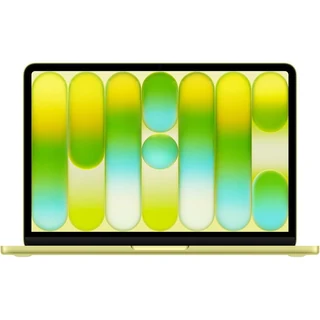
Colors | Silver Blush Citrus Indigo |
Software support | Estimated through 2030 or longer |
Best for | Buyers on a budget looking for an affordable entry into the Apple ecosystem, or those who need a machine only for light or home use |
As Apple’s new entry-level laptop, the MacBook Neo really knocks this category out of the park. The laptop has one of the best displays in its category with 500 nits of brightness and a 2408x1506p resolution. Pair that with sRGB color technology and you’ve got an impressive display with sharp graphics and fluid motion.
The MacBook Neo also boasts a similar design to other MacBook models, with a premium and durable aluminum build and a weight of only 2.7 lbs — the same weight as the MacBook Air M5 13-inch — although the MacBook Neo is a little thicker at 0.5 in when closed. The Neo also enjoys a few more fun color designs than your typical MacBook, with Citrus and Blush coming into play.
Its battery life is impressive for a budget laptop, lasting up to 16 hours on a single charge. It does, however, have slower charging than other MacBook models at only 20W. Its two ports are also slower than that of the Air M5, but that may not be noticeable if you’re not connecting too many devices.
The major drawbacks of this model are its minimal 8GB of RAM and only two storage options of 256GB and 512GB. However, if you’re on a budget, this may be the best laptop for home use if you only plan on using it casually anyway.
In addition, the MacBook Neo has Apple Intelligence support, so you can still enjoy many of the latest features. Its launch price ($599) is also significantly lower than other Apple computers, and overall, it’sone of the best laptops you’ll find for under $1000. So, if you’re looking for an easy way into the Apple ecosystem, this is your best bet.
Pros ✅ | Cons ❌ |
|---|---|
Significantly lower launch price than other Apple models | Only two USB-C ports which are slower than that of the Air M5 |
Impressive display and graphics performance, especially for a budget device | Only 8GB of RAM |
Premium build and light design coming in more diverse color options | Only up to 512GB of storage |
Long battery life, especially for a budget laptop |
Refurbished price:$503
Versus $799.00 new

Refurbished price:$506

The Lenovo IdeaPad Slim 5x is ultra-portable and significantly cheaper than other laptops in its category.
✨ The Lenovo IdeaPad Slim 5x is the perfect balance of affordability, features, and portability for an on-the-go college student.
Lenovo IdeaPad Slim 5x specifications | |
|---|---|
Display | 13.3-inch LCD or 15.3-inch OLED 120Hz touchscreen |
Chip | Qualcomm Snapdragon X2 Plus X2P-42-100 |
Battery life | Up to 21 hours video streaming |
Storage options (SSD) | 512GB 1TB |
Memory (RAM) | 16GB 32GB |
Camera | 1080P FHD IR Hybrid with Dual Microphone and Privacy Shutter |
AI features | Copilot+ PC |
Ports | 1x Micro-SD 2x USB 3.2 Type-A Gen 1 1x HDMI 2x USB-C 1x Audio jack |
Build | Aluminum |
Weight | Starting at 2.62 lbs |
Colors | Cloud Grey Breeze Moss |
Software support | Estimated through 2035 |
Best for | Students looking for the best value and versatility for their money |
The Lenovo IdeaPad Slim 5x is one of the best laptops for students, giving buyers a lot of bang for their buck. This is thanks to its immensely powerful battery life. It also supports fast charging, reaching up to 3 hours of charge in only 15 minutes. This is perfect for long study sessions in the library or going from class to class with no outlets nearby, making it our pick for the best laptop for college.
This versatile laptop also boasts a fluid screen refresh rate of 120Hz and has a touchscreen, which is helpful for annotating or creative doodles. Its powerful chip should support tasks like homework, reading, streaming, and notetaking easily, while its light design at only 2.62 lbs makes it easy to carry. It’s also slightly thicker than the previous MacBook models mentioned at 0.56 inches when closed.
Where this laptop really shines, though, is its ports. It has a whopping 7 ports — more than most MacBooks on the market. This gives students versatility, whether they need to plug in a few drives or do some work with an external monitor. Another upside is the RAM, which can go up to 32GB for demanding tasks.
This Lenovo laptop comes with fewer storage options than other laptops on this list, but 1TB should be more than enough for students who don’t need to save large files directly on their devices. This is one of the best and most powerful laptops for college that you’ll find in this range.
Pros ✅ | Cons ❌ |
|---|---|
Impressively long battery life and fast charging | Fewer storage options that range only up to 1TB |
120Hz touchscreen display is helpful for notetaking | Lower screen resolution than some MacBooks, but those not working with images may not notice |
Wide variety of ports provides versatility | Only two color options |
Relatively low launch price | |
Up to 32GB of RAM | |
Light, portable design | |
Long software support |

The Dell Alienware 16X Aurora is a gamer's dream.
✨ The Dell Alienware 16X Aurora is a gamer’s paradise with an NVIDIA graphics card and a high screen refresh rate.
Dell Alienware 16X Aurora specifications | |
|---|---|
Display | 16-inch WQXGA, anti-glare OLED with 240Hz refresh rate |
Chip | Intel® Core™ Ultra 7 Processor Intel® Core™ Ultra 9 Processor |
Battery life | Estimated up to 7 hours |
Storage options (SSD) | 1TB 2TB 4TB |
Memory (RAM) | 16GB 32GB 64GB |
Camera | 1080p at 30 fps, FHD RGB-IR HDR camera |
AI features | Copilot |
Ports | 2x USB 3.2 Gen 1 1x USB 3.2 Gen 2 Type-C® 1x Thunderbolt™ 4 (40 Gbps) with DisplayPort™ 2.1 with Power Delivery 1x HDMI 2.1 with Discrete Graphics Controller Direct Output 1x universal audio jack (RCA, 3.5 mm) 1x RJ45 ethernet port (1 Gbps) 1x power-adapter port |
Build | Aluminum |
Weight | 5.66–5.76 lbs |
Colors | Interstellar Indigo |
Software support | Estimated for another 5–7 years |
Best for | Heavy-duty gamers who don’t mind paying more for a reliable and powerful machine |
The Dell Alienware 16X Aurora is one of the best gaming laptops, providing gamers with incredible graphics and processing power thanks to its customizable Intel® Core™ Ultra processor options and NVIDIA® GeForce RTX™ graphics cards. Its smooth 240Hz screen refresh rate is much higher than you’ll find on most laptops, making this Alienware model ideal for a gaming experience with smooth transitions, impressive detail, and minimal environmental distractions.
With a wide variety of ports, you also have the freedom to connect monitors, microphones, or any other gaming accessories you may have to improve your experience even further. The battery life is pretty standard for a gaming laptop, with it expected to last up to 7 hours under a heavy gaming load.
The laptop also comes with customizable RAM up to 64GB and up to 4TB of storage for all your gaming needs. This model also comes with the game-changing Cryo-Chamber for cooling, which allows the laptop to optimize airflow and run efficiently even under heavy loads.
The only potential downsides are the weight and the price. The laptop can weigh between 5.66 and 5.76 lbs depending on the configuration you choose, which is more than any other laptop on this list. This certainly reduces its portability points, but if you’re planning to set it up on one spot at home and rarely move it, this may not be an issue. The starting price for the most basic configuration is also fairly high at over $2,500, which can be a dealbreaker for some.
Pros ✅ | Cons ❌ |
|---|---|
Customizable chip, graphics card, RAM, and storage so you get just as much power as you need | Higher starting price than many other laptops |
Brilliant 240Hz display for fluid graphics | Only one color option |
Wide variety of ports for gaming accessories | Heavier than many other laptops |
Up to 4TB of storage | |
Strong aluminum build |

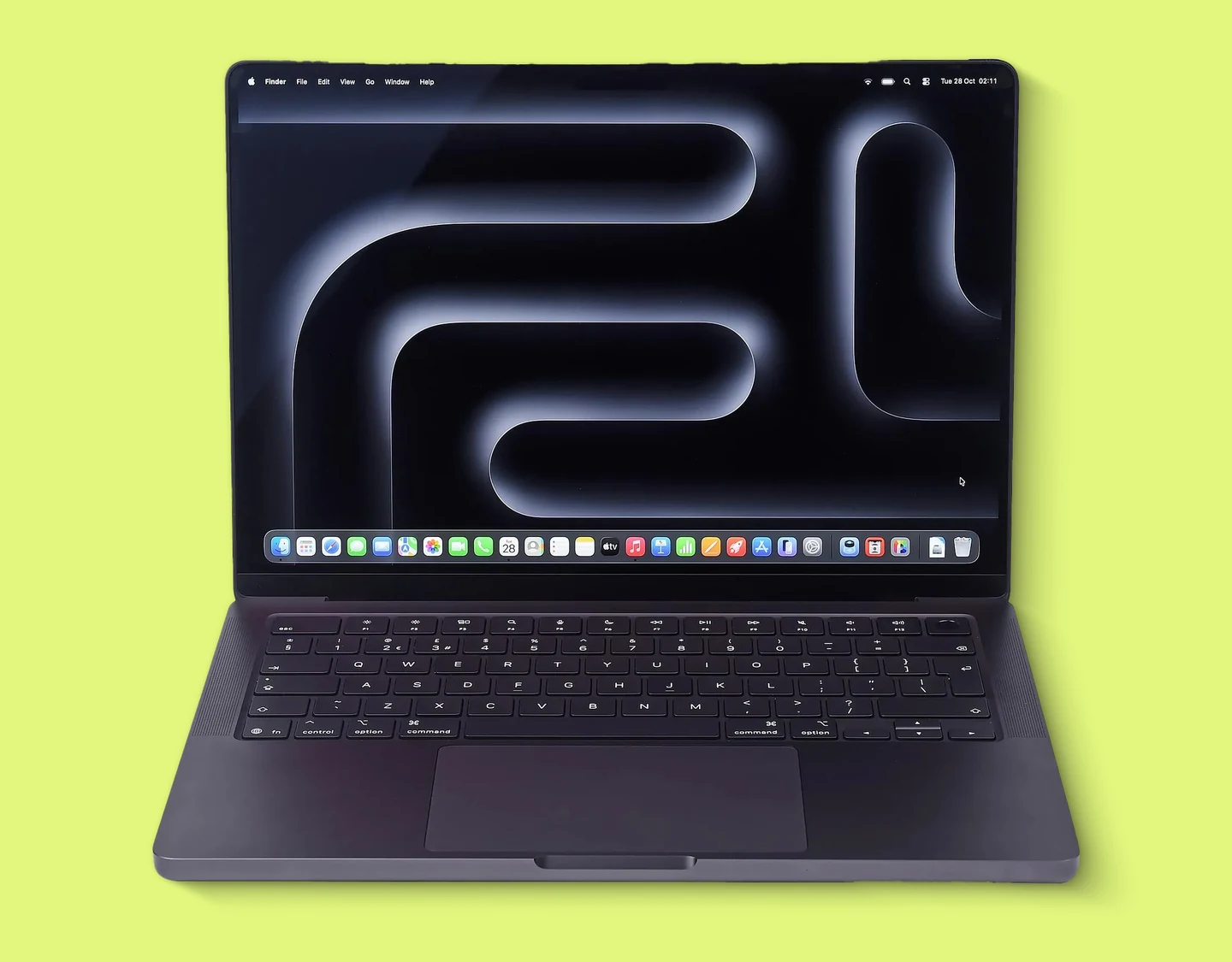
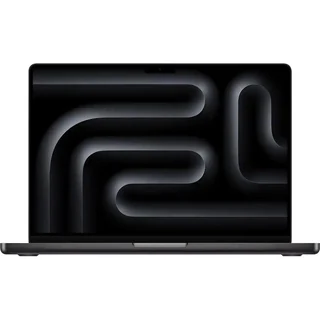
The MacBook Pro M5 makes video editing easy.
✨ The MacBook Pro M5 takes creativity seriously with a customizable M5 chip, incredible battery life, and plenty of RAM and storage options.
MacBook Pro M5 specifications | |
|---|---|
Display | 14.2-inch or 16.2-inch Liquid Retina XDR display with True Tone technology and 120Hz ProMotion technology |
Chip | Apple M5 (only 14-inch), Apple M5, M5 Pro, or Apple M5 Max |
Battery life | Up to 24 hours video streaming |
Storage options (SSD) | 1TB 2TB 4TB 8TB |
Memory (RAM) | 16GB 24GB 32GB 36GB (M5 Max with 32-core GPU) 48GB (M5 Max with 40-core GPU) 64GB (M5 Max with 40-core GPU) 128GB (M5 Max with 40-core GPU) |
Camera | 12MP Center Stage camera with support for Desk View 1080p HD video recording Advanced image signal processor with computational video |
AI features | Apple Intelligence support |
Ports | 3x Thunderbolt 4 (USB-C) 1x HDMI 1x SDXC card slot 1x audio jack |
Build | Aluminum |
Weight | 3.4 lbs (14-inch) 4.7 lbs (16-inch) |
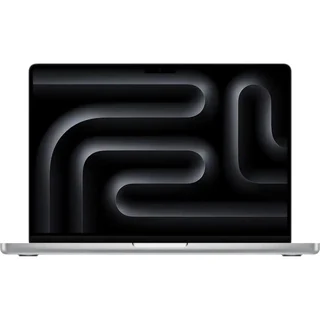
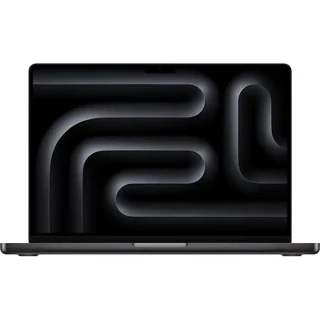
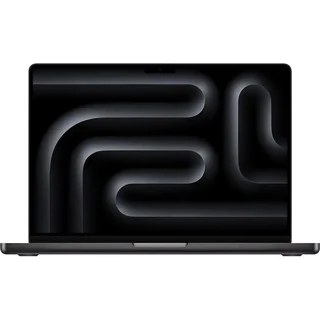
Colors | Space Black Silver |
Software support | Expected through 2034–2035 |
Best for | Creatives and professionals who need enough power, connectivity, and RAM for heavy-duty programs |
MacBook Pros have always been powerhouses, but the M5 is the best one yet. The MacBook Pro M5 comes with three chip options: M5, M5 Pro, and M5 Max, which get faster and more powerful the further up you go, adding more GPU cores along the way. These chips, no matter which you choose, will handle demanding creative tasks like video and photo work, animation, design, and more without a hitch. This makes the MacBook Pro M5 the best laptop for video editing.
Creatives also notoriously work with demanding applications and massive files, and the MacBook Pro M5 supports this with up to 8TB of storage and up to a whopping 128GB of RAM (only for the M5 Max chips). The fast chip combined with this much storage and RAM ensures that your graphics, videos, and other tasks will run smoothly without overloading your device.
Another advantage the Pro M5 has over other Apple laptops is its ports. With 5 ports you can use to connect SD cards, external monitors, or other devices, it has even the Air M5 beat, although it still doesn’t have as many ports as some of the Windows laptops available.
Its impressive battery life and fast charging capability only add to the list of pros here, lasting at least a full day on a single charge.
Pros ✅ | Cons ❌ |
|---|---|
Incredible battery life and fast charging | Higher launch price than most other laptops |
Customizable chip, RAM, and storage for the exact amount of power you need | Heavier than the MacBook Air at 3.4 lbs |
More ports than other Apple laptops | Not as many ports as some Windows laptops |
Up to 8TB storage and 128GB RAM | |
120Hz screen refresh rate and impressive resolution compared to other MacBooks |
Refurbished price:$1,352
Versus $2,199.00 new
Refurbished price:$1,273

Refurbished price:$1,329
Versus $2,199.00 new

Refurbished price:$1,481
Versus $2,399.00 new

Refurbished price:$1,491
Versus $2,399.00 new

Refurbished price:$1,510
Versus $2,599.00 new
Refurbished price:$1,547
Versus $2,699.00 new
Refurbished price:$1,624
Versus $2,599.00 new
Refurbished price:$2,365
Versus $3,899.00 new


The HP EliteBook Ultra G1i is perfect for business professionals working from the office or from home.
✨ The HP EliteBook Ultra G1i provides the perfect mix of portability, efficiency, and productivity features for business people in the office or on the go.
HP EliteBook Ultra G1i specifications | |
|---|---|
Display | 14-inch 2.8K OLED touchscreen |
Chip | Intel® Core™ Ultra 5 Processor 228V |
Battery life | Estimated up to 18 hours |
Storage options (SSD) | 1TB |
Memory (RAM) | 32GB |
Camera | 9 MP IR AI camera |
AI features | Next Gen AI PC |
Ports | 3x Thunderbolt™ 4 with USB-C 1x USB Type-A 1x combo audio jack |
Build | Magnesium and aluminum |
Weight | 2.62 lbs (may be more depending on configuration) |
Colors | Atmospheric blue magnesium |
Software support | Expected for another 3–5 years or longer |
Best for | Professionals who need a compact yet powerful machine for business |
The HP EliteBook Ultra G1i is a productivity demon, rivaling the latest MacBooks in both display quality and processing power. Its 2.8K OLED screen reduces strain on the eyes when working for longer periods of time, and its touchscreen adds even more versatility to your work. Whether you need to take notes, mark up PDFs, or interact with presentations, this machine makes it easy.
It has several ports you can use to connect external monitors or other accessories needed for your work. It doesn’t have the RAM or storage options of the MacBook Pro — in fact, it doesn’t give you an option at all — but if you’re mostly sending emails, working with calendars, or having meetings, the standard 1TB of storage and 32GB or RAM shouldn’t be an issue. It also weighs a little less than the MacBook Pro M5 at 2.62 lbs, so it’s more portable for working travel days or commutes to and from the office.
Its battery life also rivals that of the MacBook Pro, and if you’re mostly doing cloud productivity tasks without demanding applications, it should easily last you a full day. This also makes it a great business laptop for remote workers.
The main off-putting aspect of this laptop may be the price. It’s higher than the base configuration of the MacBook Pro M5, but with fewer customization options and a slightly shorter battery life, some may wonder if it’s worth it. If you’re looking for a dependable, portable, and future-proof computer thanks to its long software support and AI features, though, this is a great pick for business.
Pros ✅ | Cons ❌ |
|---|---|
High-quality display reduces eye strain during long working hours | Higher launch price than most other laptops for fewer RAM and storage customization options |
Touchscreen makes it more versatile than a MacBook | Only one option for storage and RAM |
Next Gen AI features | |
Long battery life | |
Durable, portable, and sustainable build |

The Dell XPS 14 clinches the title of the best Windows laptop for its versatility and power.
✨ The Dell XPS 14 shines among Windows laptops when it comes to overall performance and battery life.
Dell XPS 14 specifications | |
|---|---|
Display | 14-inch OLED, 120Hz refresh rate 14-inch 2K LCD |
Chip | Series 3 Intel® Core™ Ultra 5 Processor 325 |
Battery life | Estimated up to 31 hours (LCD) Estimated up to 24 hours (OLED) |
Storage options (SSD) | 512GB |
Memory (RAM) | 16GB |
Camera | 8MP/4K HDR webcam Windows Hello compliant, Intel IPU7 |
AI features | Copilot+ PC |
Ports | 3x Thunderbolt 4 (USB-C) with DisplayPort 2.1 and power delivery 1x Audio jack |
Build | Aluminum |
Weight | 3 lbs |
Colors | Platinum Graphite |
Software support | Expected for another 5–7 years |
Best for | Users attached to the Windows ecosystem looking for a great do-it-all laptop |
The Dell XPS 14 is one of the most powerful Windows laptops on the market today. It’s a consumer favorite for its premium build quality and portability, weighing in at just 3 lbs. Its 14-inch OLED display option also comes with a 120Hz screen refresh rate, a feature that’s reserved for the Pro models of MacBooks. And what’s great about this laptop is that you have the option between an LCD screen and an OLED screen: LCD saves battery and is best for everyday tasks, while OLED is better for creatives who frequently work with images and want the highest resolution possible.
For a laptop that doesn’t need to be a workhorse, its 16GB of RAM and 512GB of storage are more than enough, and it has a full suite of Copilot+ PC features that make you feel like you have the latest and greatest. However, the fact that the laptop only comes with these RAM and storage options may be a drawback for some, especially if you’re looking to save a lot of files or run a lot of programs on your computer.
Its battery, though, is where this laptop truly shines. With up to 31 hours of estimated battery life for the LCD display option (24 hours with OLED), this laptop should get you through a full day and then some without needing a charge, making it perfect for those who travel, commute, or work from remote locations frequently.
This laptop is well over $1,000, which may be a turnoff for some, but with that kind of battery life, display customizability, and portability, it just might be worth it. The other drawback may be that it only has 3 USB-C ports, making it less flexible and versatile than some other laptops on the market.
Pros ✅ | Cons ❌ |
|---|---|
Very impressive battery life | Higher launch price than some laptops on the list |
Copilot+ PC AI features | Fewer versatile ports |
Customizable display options | No customizable storage or RAM — only comes with 16GB of RAM and 512GB of storage |
Premium, lightweight build | |
Powerful processor |
Refurbished price:$92

Refurbished price:$109
Versus $999.00 new

Refurbished price:$111
Versus $312.65 new
Refurbished price:$116
Versus $377.98 new
Refurbished price:$117
Versus $377.98 new

Refurbished price:$117

Refurbished price:$124
Versus $287.98 new

Refurbished price:$134
Versus $341.98 new
Refurbished price:$139
Versus $316.78 new
Refurbished price:$143
Versus $359.98 new
Refurbished price:$148
Versus $413.98 new
Refurbished price:$152
Versus $503.98 new

Refurbished price:$154

Refurbished price:$154
Versus $287.98 new
Refurbished price:$162
Versus $851.99 new
Refurbished price:$163
Versus $753.99 new

MacBook Air M5 — best laptop overall | MacBook Neo — best budget laptop | Lenovo IdeaPad Slim 5x — best laptop for students | MacBook Pro M5 — best laptop for creatives | HP EliteBook Ultra G1i — best business laptop | Dell XPS 14 — best Windows laptop | ||
|---|---|---|---|---|---|---|---|
RefurbLane price | $746 | $447 | - | - | $1,169 | - | - |
Price of new | Starting at $1,099 | Starting at $699 | Starting at $969.99 | Starting at $3,399 | Starting at $1,599 | Starting at $2,419 | Starting at $1,659.99 |
Display | 13.6-inch or 15.3-inch Liquid Retina display, True Tone technology | 13-inch Liquid Retina display | 13.3-inch LCD or 15.3-inch OLED 120Hz touchscreen | 16-inch WQXGA, anti-glare OLED with 240Hz refresh rate | 14.2-inch or 16.2-inch Liquid Retina XDR display with True Tone technology and 120Hz ProMotiontechnology | 14-inch 2.8K OLED touchscreen | 14-inch OLED, 120Hz refresh rate 14-inch 2K LCD |
Chip | Apple M5 (upgradable) | Apple A18 Pro | Qualcomm Snapdragon X2 Plus X2P-42-100 | Intel® Core™ Ultra 7 Processor Intel® Core™ Ultra 9 Processor | Apple M5 (only 14-inch), Apple M5, M5 Pro, or Apple M5 Max | Intel® Core™ Ultra 5 Processor228V | Series 3 Intel® Core™ Ultra 5 Processor 325 |
Battery life | Up to 18 hours of video streaming | Up to 16 hours video streaming | Up to 21 hours video streaming | Estimated up to 7 hours | Up to 24 hours video streaming | Estimated up to 18 hours | Estimated up to 31 hours (LCD) Estimated up to 24 hours (OLED) |
Storage options (SSD) | 512GB 1TB 2TB 4TB | 256GB 512GB | 512GB 1TB | 1TB 2TB 4TB | 1TB 2TB 4TB 8TB | 1TB | 512GB |
Memory (RAM) | 16GB 24GB 32GB | 8GB | 16GB 32GB | 16GB 32GB 64GB | 16GB 24GB 32GB 36GB (M5 Max with 32-core GPU) 48GB (M5 Max with 40-core GPU) 64GB (M5 Max with 40-core GPU) 128GB (M5 Max with 40-core GPU) | 32GB | 16GB |
Camera | 12MP Center Stage camera with support for Desk View 1080p HD video recording | 1080p FaceTime HD camera 1080p HD video recording | 1080P FHD IR Hybrid with Dual Microphone and Privacy Shutter | 1080p at 30 fps, FHD RGB-IR HDR camera | 12MP Center Stage camera with support for Desk View 1080p HD video recording Advanced image signal processor with computational video | 9 MP IR AI camera | 8MP/4K HDR webcam Windows Hello compliant, Intel IPU7 |
AI features | Apple Intelligence support | Apple Intelligence support | Copilot+ PC | Copilot | Apple Intelligence support | Next Gen AI PC | Copilot+ PC |
Ports | 2x Thunderbolt 4 (USB-C) ports 1x Audio jack | 1x USB 3 (USB-C) port USB 2 (USB-C) port 1x Audio jack | 1x Micro-SD 2x USB 3.2 Type-A Gen 1 1x HDMI 2x USB-C 1x Audio jack | 2x USB 3.2 Gen 1 1x USB 3.2 Gen 2 Type-C® 1x Thunderbolt™ 4 (40 Gbps) with DisplayPort™ 2.1 with Power Delivery 1x HDMI 2.1 with Discrete Graphics Controller Direct Output 1x universal audio jack (RCA, 3.5 mm) 1x RJ45 ethernet port (1 Gbps) 1x power-adapter port | 3x Thunderbolt 4 (USB-C) 1x HDMI 1x SDXC card slot 1x audio jack | 3x Thunderbolt™ 4 with USB-C 1x USB Type-A 1x combo audio jack | 3x Thunderbolt 4 (USB-C) with DisplayPort 2.1 and power delivery 1x Audio jack |
Build | Aluminum | Aluminum | Aluminum | Aluminum | Aluminum | Magnesium and aluminum | Aluminum |
Weight | 2.7 lbs (13-inch) 3.3 lbs (15-inch) | 2.7 lbs | Starting at 2.62 lbs | 5.66–5.76 lbs | 3.4 lbs (14-inch) 4.7 lbs (16-inch) | 2.62 lbs (may be more depending on configuration) | 3 lbs |
Colors | Sky Blue Silver Starlight Midnight | Silver Blush Citrus Indigo | Cloud Grey Breeze Moss | Interstellar Indigo | Space Black Silver | Atmospheric blue magnesium | Platinum Graphite |
Software support | Estimated through 2032–2034 | Estimated through 2030 or longer | Estimated through 2035 | Estimated for another 5–7years | Expected through 2034–2035 | Expected for another 3–5 years or longer | Expected for another 5–7years |
Best for | Anyone looking for a versatile and lightweight powerhouse that can handle demanding tasks without paying for a Pro model | Buyers on a budget looking for an affordable entry into the Apple ecosystem, or those who need a machine only for light or home use | Students looking for the best value and versatility for their money | Heavy-duty gamers who don’t mind paying more for a reliable and powerful machine | Creatives and professionals who need enough power, connectivity, and RAM for heavy-duty programs | Professionals who need a compact yet powerful machine for business | Users attached to the Windows ecosystem looking for a great do-it-all laptop |
*RefurbLane prices taken at the date of publication — these are subject to change.
✨It’s important to remember that the best laptop for you in 2026 doesn’t have to be the latest and greatest; it just has to fit both your needs and your budget. Consider your use case, tech specs, and other priorities, and check out RefurbLane for significant savings.
A new laptop isn’t exactly a small purchase, and that can come with a lot of decision anxiety — you want the best features that will last the longest for the best possible price. The first way to save money on your new laptop is to wait for sales events like Black Friday or Cyber Monday, which often come with discounts or bundle deals. Or, you can wait for newer models of your desired laptop to come out so that the older models experience a price drop before you buy.
But the best way to find great deals is to shop for a refurbished laptop on RefurbLane. We offer savings year-round on all types of tech devices, including laptops.
At RefurbLane, we specialize in verified Refurbished devices, which means all the items you see on our pages go through an extensive 100-point quality inspection. Our devices are examined, repaired, cleaned, and tested to ensure they perform up to their original benchmarks, and to make sure you’re getting a premium, reliable laptop for much less. We grade the device’s condition and guarantee at least 80% battery health and 100% charging capacity for each item we sell.
As a bonus, our tech often costs 20% to 50% less than the price of new, offering real value for your money. And for your peace of mind, we offer a 1-year commercial warranty and a 30-day money-back guarantee so you can buy with confidence. Check out with this satisfied customer had to say about the laptop he bought from RefurbLane:
“I ordered a 'premium' condition Macbook Pro, and the whole experience was indeed *premium*. The machine arrived on time and in good shape and turned out to be an Apple refurbished computer with only 7 cycles on the battery and an active AppleCare+ subscription. As far as I can tell it is effectively brand new and all wearable parts never used at all. I couldn't be happier!”
Buying refurbished is also better for the planet. By giving old devices a second life, you reduce the need for new manufacturing and keep old electronics from ending up in landfills before they’re ready to go. It’s a win-win.
For even bigger savings, consider taking advantage of our . If you’ve got old tech lying around, just answer a few questions about your device and get a quote from us within minutes. If you agree to the quote, send your device to us for free and once it’s verified, you get paid. It’s that simple.

Miguel is always looking for new ways to provide unique perspective on popular tech and has taken his writing to the refurbished industry to promote sustainability. Outside of creating content, you might find him travelling the globe, coaching a fitness class, or cheering on his favorite sports teams (Go Dolphins!)